 Scaley
Not one winner. A pick per job, sorted by what each tool can touch, with who can change your account and how each one charges.
Best AI for Google Ads in 2026, Sorted by What It Can Touch
The best AI for Google Ads depends on the job. We sort Google Ads AI tools, from ChatGPT and Claude to Optmyzr, Ryze, groas and Scaley, by what each can touch.

Written and reviewed by Christopher Krassnig
Published Last checked
The best AI for Google Ads depends on the job. For writing ads, a free chatbot like ChatGPT, Claude or Gemini is enough. For bids, I leave it to Google's own Smart Bidding. For finding waste in a live account and fixing it with your yes on each change, pick a tool that reads the account, like Scaley Suite.
Most lists of the best AI tools for Google Ads skip one thing: what can the tool touch? Can it see your live account? Can it change it? Does it ask you first? This post sorts them by that.
Disclosure up front. I founded Scaley, so weigh where I put it. I also run ZenoX Media, a Google Ads agency for online stores. Every rival fact comes off the rival's own page. Most were read on 3 November 2026, and the one older figure says when. The links are at the bottom. Where a page did not show a price, I say so instead of guessing.
The Four Questions That Sort Every Tool
Every AI tool for Google Ads answers four questions. Ask them in this order:
- Does it read your live account? Or only what you paste in?
- Can it change your account? Bids, budgets, keywords, campaigns.
- Does it ask before each change? Or does it act on its own?
- What does it need from you to start? Nothing, a login, or a developer.
A tool that writes great headlines but cannot see your account is a copywriter. A tool that changes bids on its own is a driver. Both are useful. They are not the same buy.
Google Ads AI Tools Compared
Grouped by the four questions: read-only tools first, then tools that ask before a change, then a team that does it for you, then Google's autopilot. An MCP server, which shows up below, is a small connector that lets an AI app read your account. Read off each vendor's own page on 3 November 2026, except where a row says otherwise.
| Tool | Reads live account | Can change it | Asks first | Setup | Price model |
|---|---|---|---|---|---|
| Scaley Consultant | No, screenshots and CSVs | No | - | None | Flat monthly fee |
| ChatGPT | Not from a normal chat. Only through a custom MCP server you add | Depends on that server | Depends on that server | None for chat | Free plan. Paid plans: see OpenAI's pricing page |
| Claude | Not from a normal chat. Only through a connector or MCP server you add | Depends on that connector | Depends on that connector | None for chat | Free plan. Pro is $20 a month, or $17 billed yearly. Max from $100 |
| Gemini app | Not from a normal chat. Upload what you want read | No | - | None | Free plan. AI Plus $4.99, AI Pro $19.99, AI Ultra from $99.99 a month |
| Google Ads MCP server | Yes, read-only | No | - | Cloud project, API access, credentials | Free code. Google's guide names no fee |
| Scaley Media Buyer | Yes, read-only | No | - | Connect Google Ads read-only | Monthly base plus a share of total ad spend |
| Ask Advisor (Google) | Yes, inside Google Ads | Yes | Yes, "with your approval" | None, if your account is eligible | Help page lists no price |
| Optmyzr | Yes | Yes | Homepage: "No changes without your approval, ever" | Connect your accounts | Priced by monthly ad spend. Essentials was $299 a month at $25K of spend when we read it on 15 October 2026. 14-day trial |
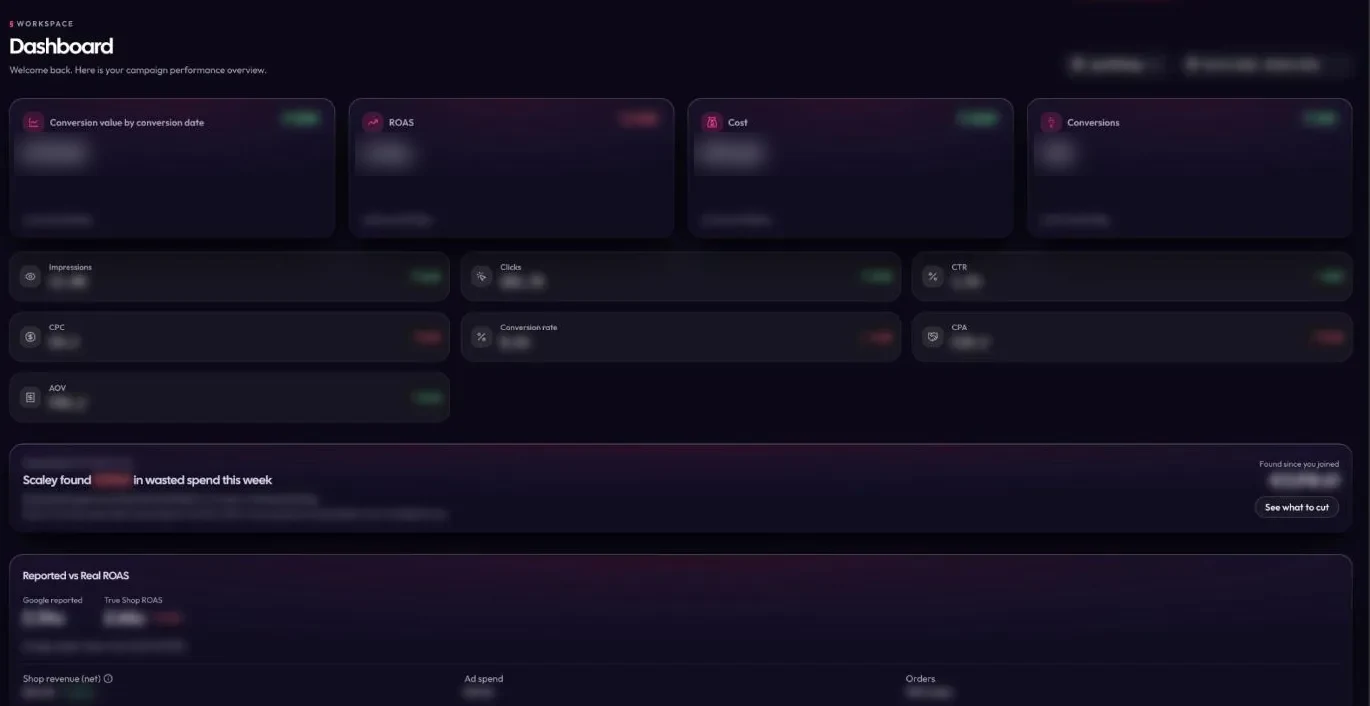
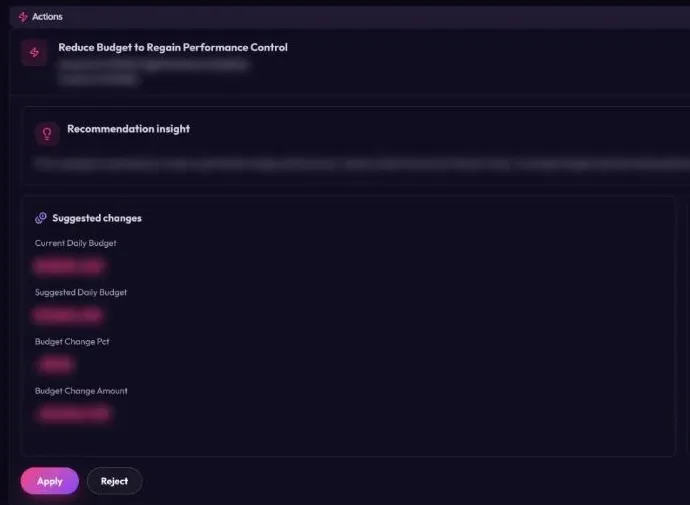
| Scaley Suite | Yes | Yes | Yes, every single change | Connect Google Ads and Shopify | Monthly base plus a larger share of total ad spend |
| Ryze AI | Yes | Yes | Pages disagree (see below) | Connect your accounts | Paid Ads plan $89 a month, flat. 7-day trial, card and a $1 setup fee required |
| groas | Its team does | Yes, its team | Inside guardrails you agree up front | Onboarding with an account manager | $1,499 a month per service, flat. No free trial |
| Smart Bidding, PMax, AI Max | Yes | Yes, on its own | No. It works inside the limits you set | Built into Google Ads | No separate fee named. You pay for clicks |
Scaley's three prices are on the pricing page. Every Scaley tier starts with a free trial, card required.
Best AI for Each Google Ads Job
No tool wins every row. Here is my pick per job, and the runner-up.
Writing Ads and Learning Google Ads: ChatGPT, Claude or Gemini
For headlines, descriptions, sitelinks, product titles and "what does this setting do", a general chatbot is the right tool. It is cheap or free, and it is good with words.
Pick the one you already pay for. The gap between them on ad copy is smaller than the gap between a good prompt and a lazy one. Feed it your product page, your margin and your country, then ask for one job. Our ChatGPT prompts for Google Ads are ready to paste, and they work in Claude and Gemini too. Want the screenshot flow done by a chat that only knows Google Ads? That is our GPT for Google Ads page.
Where they fall short: none of them sees your account from a normal chat. You export, you paste, and the data is stale the moment you do. They also miscount characters, so check every headline against Google's limit before it goes live.
Bids in Every Auction: Google's Smart Bidding
I would not let any outside tool set your auction bids. Google's help page calls Smart Bidding bidding that uses Google AI "to optimize for conversions or conversion value in every auction". Google says it uses signals like device, location and time of day to set each bid.
The catch is that it acts on its own. It also trusts your conversion tracking blindly. If tracking double-counts sales, Smart Bidding bids up on sales that never happened. Same story with AI Max, which widens what your search ads match. Our AI Max guide shows how to watch what it adds.
So let Google set the bids. Your job, or your tool's job, is to check what it did with your money.
Questions Inside the Account: Google's Ask Advisor
Google's help page calls Ask Advisor "an agentic conversational experience built within Gemini capabilities". It answers account questions, explains changes in performance and suggests new creatives. You can apply its suggestions "with your approval", like pausing a campaign or changing a budget.
It sits right in your account, and the help page lists no price. Two limits: it is still in beta and only for eligible accounts, and it is not in manager (MCC) accounts. Ask Advisor is one of three Gemini tools in your account, and our answer on Gemini in Google Ads covers all three.
Live Data for Developers: Claude Plus the Google Ads MCP Server
If you can run a Google Cloud project, Google's official MCP server lets an AI app like Claude pull your real numbers. Google's guide says plainly: "This implementation is strictly read-only." So it can look but not touch.
It is the most flexible route and the most work. You need a Cloud project with API access, credentials and a config file before your first question. Our Google Ads MCP guide walks through the setup step by step. For the routes that need no server, read Claude for Google Ads.
Rules Across Many Client Accounts: Optmyzr
Optmyzr is built for agencies and in-house teams. It supports Google, Microsoft, Amazon, Meta, LinkedIn and TikTok Ads. It has an AI chat copilot it calls AI Sidekick, plus rules you write yourself. Its homepage says "No changes without your approval, ever."
Price: Optmyzr sets the price by your monthly ad spend. When we read its pricing page on 15 October 2026, Essentials was $299 a month at $25K of spend, and the price climbed with spend. Today the figure sits behind a spend picker, so move it to your own spend to see your price. The page also says 14 days free, and 30% off if you prepay a year.
Pick it if you run many accounts and like building your own logic. Scaley vs Optmyzr goes row by row.
One Flat Fee Across Many Channels: Ryze AI
Ryze AI's Paid Ads plan is $89 a month, flat, with 7 days free. Like Scaley, the trial needs a card, and Ryze also charges a one-time $1 setup fee when it starts. Its pricing page lists Google Ads, Meta, TikTok, LinkedIn and more than 50 integrations. If Google is one channel of four for you, Ryze covers more channels for one flat fee.
The open question is approvals. The pricing page says "Approval on every change". The homepage says it "adjusts automatically". They cannot both be the default. Ask Ryze which one your plan gets before you connect. Full side by side: Scaley vs Ryze AI.
A Team Does the Work for You
This one is not software you run. groas is a done-for-you service. Its pricing page lists Search Ads, Meta Ads, and SEO and AI search as separate services. A dedicated account manager owns the work, and the team makes the changes inside "budgets, brand rules and approvals agreed with you".
For businesses it costs $1,499 a month per service, flat, whatever you spend on ads. There is no free trial. Instead you get a full refund if you ask within the first 7 days. If you want to hand the keys over and you trust the team, it is an honest option. Scaley vs groas has the detail. Weighing a team against software? Our page on AI PPC management puts the costs side by side.
Store Accounts, Read Live and Fixed with Your Yes: Scaley
This is the job we built Scaley for. It is built only for Google Ads on online stores, and it answers from what we learned running client store accounts at ZenoX Media.
- Scaley Consultant reads screenshots and CSVs. It connects to nothing. It is a chatbot that only knows Google Ads for stores. See Scaley Consultant.
- Scaley Media Buyer reads your live Google Ads account, read-only. It answers when you ask. It never changes anything and never scans on its own. Ask "where is my money leaking?" and you see your waste right away. See Scaley Media Buyer.
- Scaley Suite finds the fixes and makes each change only after you say yes to that one change. See Scaley Suite.
The chat has quick checks called Wasters, Winners and Trending, so you do not have to write the question. Every tier also comes with a weekly live call with me.
Where Scaley loses: it only runs Google Ads, not Meta or TikTok. It has no rule builder and no white-label agency reports. It does not write your ads better than a chatbot. And it costs more than a free chat.
Who Each Tool Fits
| If you are... | Start with | Why |
|---|---|---|
| A store owner who needs ad copy | ChatGPT, Claude or Gemini | Cheap, good with words, no setup |
| Anyone running Google Ads | Smart Bidding | It sets every bid, and it is part of Google Ads |
| A small account with simple questions | Ask Advisor, if your account has it | Inside your account, no setup |
| A developer or technical marketer | Claude plus the Google Ads MCP server | Live data, read-only, full control |
| An agency with many clients | Optmyzr | Rules, many platforms, approval on changes |
| Buying on Google, Meta and TikTok | Ryze AI | One flat fee across channels |
| Done with doing it yourself | groas, or a good agency like ZenoX Media (mine) | A team does the work |
| A store owner running your own Google Ads | Scaley Media Buyer, then Suite | Reads the live store account, changes nothing without your yes |
Still deciding how much to hand over? Our pillar on how to manage Google Ads with AI shows the ladder from chat to full automation, rung by rung.
What AI Still Cannot Do in Google Ads
Every tool on this page has the same blind spots. Know them before you trust any answer.
- It does not know your margin. A ROAS of 3 is great on one product and a loss on another. Unless you tell the AI what you keep per sale, it cannot say which.
- It believes your tracking. If conversions are counted twice, every AI on this list reads the double count as truth. Fix tracking first.
- It cannot pick what to sell. Which product to push, what price to charge, when to restock. That is your call.
- It can be wrong and sound sure. A wrong date range or a wrong field gives a confident wrong number. Check anything that moves money against the Google Ads screen.
- It cannot fix a bad feed by talking about it. On Shopping and Performance Max, the product feed writes most of your ads.
That last point is why I like a yes on every change. The AI does the reading, which is the slow part. You keep the decisions, which is the part that needs context. For the safety side, read whether it is safe to give AI access to Google Ads and whether AI can do your Google Ads.
How to Pick in Ten Minutes
- Write down the one job you want off your plate. Copy, bids, finding waste, reports, or all of it.
- Find that job in the "who it fits" table. That is your shortlist.
- Open each vendor's own pricing and approval wording. Not a review site. Prices on this page were right on 3 November 2026 and will drift.
- Start read-only. Let the tool read for a week before anything can write.
- Approve one change, then check it seven days later. If you cannot see what changed and why, walk away.
Want a wider list with more PPC tools, sorted by who does the work? See our PPC tools ranking. Curious how Google's built-in AI fits next to an add-on? Read Google Ads AI explained.
If you run your own store's Google Ads, start the free trial. Scaley Media Buyer reads the live account and changes nothing. Suite makes a change only after your yes. Or check pricing first.
Ask Scaley where your Google Ads money is leaking, read-only.
Start the 3-Day Free TrialWhere These Facts Come From
Checked on 2026-11-03:
- Ryze AI pricing - the $89 Paid Ads plan, the channels it lists, the 7-day trial and "Approval on every change".
- Ryze AI refund policy - a trial "requires a valid payment method" and the one-time $1 setup fee when the trial starts.
- Ryze AI homepage - "Monitors campaigns 24/7, adjusts automatically" and "can apply changes with one click".
- Optmyzr homepage - "No changes without your approval, ever", AI Sidekick and the six ad platforms it supports.
- Optmyzr pricing - pricing by monthly ad spend, the 14-day trial, 30% off yearly and the 30-day refund on a first subscription. Today the price sits behind a spend picker. The $299 Essentials figure at $25K of spend is from our read of the same page on 15 October 2026.
- groas pricing and groas homepage - $1,499 a month per service for businesses, the services it lists (Search Ads, Meta Ads, SEO and AI search), the dedicated account manager, the guardrails wording, no free trial and the 7-day refund window.
- Claude pricing - Free, Pro at $20 monthly or $17 a month billed yearly, Max at $100.
- Google AI plans - Free, AI Plus $4.99, AI Pro $19.99, AI Ultra from $99.99 a month.
- ChatGPT pricing - We could not load OpenAI's pricing page on the day we checked, so this post names no ChatGPT paid price. Check it there.
- Google Ads MCP server guide, Google for Developers - "strictly read-only", what you need to run it, and Claude and ChatGPT named as clients for the remote server.
- Ask Advisor in Google Ads (beta), Google Ads Help - what it does, changes "with your approval", beta and eligibility, not in MCC accounts.
- About Smart Bidding, Google Ads Help - the auction-time bidding definition and the signals it uses.
- About AI Max for Search campaigns, Google Ads Help - search term matching, text customization and final URL expansion.
- Scaley's tiers and what each can touch come from our own product. The blind spots list comes from our work on client store accounts at ZenoX Media. That is experience, not a study.
Frequently Asked Questions
I founded Scaley AI and run ZenoX Media, the Google Ads agency behind it. We have $200M+ in client revenue tracked through our campaigns, across 400+ store accounts. Scaley Media Buyer puts those answers in a chat.
See where Scaley would cut waste on your Google Ads
Connect read-only in under five minutes and ask where the money went. Every level starts with a 3-day free trial. Card required. Cancel anytime.
Start the 3-Day Free TrialMore Worth Reading
Performance Max vs Standard Shopping
Performance Max vs Standard Shopping for online stores: control, search terms, budget and results side by side, and when to run both at the same time.
ReadPay per Click Advertising Platforms for Stores
PPC advertising platforms compared for online stores: Google Ads, Microsoft, Amazon, Meta and more. Who each one fits, what clicks cost, and where to start.
ReadAI Media Buying vs Google Ads Automation: What Is Different
Google's free automation, rules, or an AI media buyer that asks first. From ZenoX Media: $200M+ in client revenue tracked through our campaigns.
Read