 Scaley
Copy-paste prompts for ads, keywords, negatives, Shopping and reports. Plus the one thing ChatGPT cannot do.
ChatGPT Prompts for Google Ads That Work
ChatGPT prompts for Google Ads: copy, keywords, negatives and reports. Prompts you can paste today, what ChatGPT gets wrong, and where it needs your real data.

Written and reviewed by Christopher Krassnig
Published Last checked
The best ChatGPT prompts for Google Ads give it your facts first, then ask for one job. Paste your product page, margin and exported numbers. Then ask for something narrow: 15 headlines of 30 characters or less, negative keywords from a search terms export, or what to check first. Without your data, it writes for an average store that is not yours.
Below are the prompts I would actually paste, grouped by job: ad copy, keywords, Shopping, reports and Google Ads scripts. Swap the bits in [brackets] for your own. Then the catch: ChatGPT cannot see your account. That limit matters more than any prompt.
How to Use ChatGPT for Google Ads: Context First
Most Google Ads prompts fail the same way. "Write me Google Ads for my store." ChatGPT has no idea what you sell, who buys it or what you can afford to pay for a sale. So it writes ads for an average store that does not exist.
Fix it with a context block. Write it once, keep it in a note, and paste it above every prompt below.
Context for everything below:
- Store: [what you sell, in one line]
- Product page: [paste the text or the main points]
- Price: [price] / Margin: [margin %] / Country: [country]
- Who buys: [one line on the buyer]
- Why they pick us: [2-3 real reasons, e.g. free returns, made in X]
- Words we never use: [banned claims, competitor names]
Answer in plain words. If you are guessing, say so.
The last line matters. It gives ChatGPT permission to say "I don't know" instead of making something up.
Two more habits:
- One job per prompt. Ten headlines plus keywords plus an audit in one go gets you a weak version of all three.
- Paste numbers, not feelings. "My ROAS is bad" gets a lecture. A CSV of 30 days of products gets an answer.
Prompts for Google Ads Copy
ChatGPT is good at this part. Google's limits for responsive search ads are up to 15 headlines of 30 characters and up to 4 descriptions of 90 characters.
Responsive Search Ad Headlines
Using the context above, write 15 Google Ads headlines.
Rules:
- 30 characters or less each, spaces included
- Show the character count after each line
- 5 about the product, 5 about why buy from us, 5 with an offer or a reason to act now
- No headline repeats the same idea
- No claims that are not in the context
Descriptions
Write 4 Google Ads descriptions for the same product.
- 90 characters or less each, show the count
- Each one leads with a different benefit
- End 2 of them with a clear next step (e.g. "Shop the range")
Sitelinks and Callouts
Suggest 6 sitelinks for my store.
Link text: 25 characters or less. Two description lines: 35 characters or less each.
Each sitelink must point to a real page type I have: [list your pages].
Then suggest 8 callouts, 25 characters or less, only facts from the context.
Fresh Angles When Ads Go Stale
My current ads say: [paste headlines].
Give me 5 new angles I have not used, each with one headline and one reason it might beat what I have.
Pin nothing on the first test. Let Google mix the headlines, then cut the weak ones once the asset report shows which ones get served.
Prompts for Keywords and Negative Keywords
Seed Keyword Ideas
Give me 40 search phrases someone would type before buying [product] in [country].
Group them: ready to buy, comparing, just researching.
Mark the ones that probably mean "free", "cheap", "DIY" or a job search.
Check this list before you upload any of it. ChatGPT has no search volume data. Run the keepers through Google's Keyword Planner before you spend on them. Our keyword research guide walks through that part.
Starting Negative List
I sell [product] at [price]. List negative keywords for a new account, grouped by theme:
free, cheap, jobs, DIY, used, wrong product type, wrong audience.
Only include words that would never lead to a sale for my store.
Negatives From Your Real Search Terms
This one is worth more than the other two together, because it works on real data.
Below is my search terms report for the last 30 days (CSV).
Columns: search term, clicks, cost, conversions, conversion value.
1. List every term that spent more than [your break-even cost per sale, e.g. your margin per order] with 0 conversions.
2. Group them into themes and suggest one negative keyword per theme.
3. Flag any term that looks relevant but did not sell, so I check it by hand instead of blocking it.
Show the cost per group.
Step 3 stops it from blocking a good search that just had a slow month. For a ready-made list by store type, see our negative keyword examples for ecommerce.
Prompts for Shopping and Performance Max
Product Titles for Your Feed
Google Merchant Center allows product titles up to 150 characters. The first words do most of the work, because that is what shows on a small screen.
Rewrite these product titles for Google Shopping. Rules:
- 150 characters or less
- Put what the product is first, then the most searched detail (brand, size, color, material)
- No promo words like "best" or "sale" and no all caps
- Keep every fact true to the original
Titles: [paste 10-20 titles with their attributes]
Search Themes for an Asset Group
I am building a Performance Max asset group for [product range].
Suggest 10 search themes: short phrases a buyer would type.
Keep them close to the products, not broad category words.
Which Products Deserve Their Own Campaign
Below is my product report for the last 30 days (CSV): product, cost, conversions, conversion value.
My break-even ROAS is [number].
Sort products into: above break-even with sales, below break-even, spent with no sales, barely spent.
Tell me which group to look at first and why.
Do not know your break-even ROAS? It is 1 divided by your margin. A 40% margin means 2.5. The break-even ROAS calculator does the math.
Prompts for Reading Your Reports
ChatGPT can read screenshots and CSVs. That makes it a decent second pair of eyes on a report you exported.
Weekly Check From a Campaign Export
Here is my campaign report, this week vs last week (CSV).
My break-even ROAS is [number]. My daily budget total is [amount].
Tell me in plain words:
1. What changed the most, and by how much
2. Which campaign is below break-even
3. The one thing you would check first, and where in Google Ads I find it
If the data cannot answer a question, say so instead of guessing.
Why Did Sales Drop
Sales from Google Ads dropped about [x]% this week. Here are this week's and last week's numbers by campaign (CSV).
List the possible reasons in order of how likely they are, based only on this data.
For each one, tell me which report would prove or rule it out.
This prompt gives you a checklist, not the answer. The real answer sits in reports ChatGPT does not have: change history, search terms, product status, tracking.
Search Terms Deep Read
Our search terms report guide covers where to export it. Then use the negatives prompt above.
Prompts for Learning Google Ads
Explain a Feature
Explain [Quality Score / Smart Bidding / target ROAS / Performance Max] like I run a small online store and have never managed ads.
Use one example with real-looking numbers. Then tell me the one mistake beginners make with it.
Add the official Google Ads help page I should read to check you.
Then actually open that page and read it. Google Ads changes often. Without web search on, ChatGPT answers from its training data. Even with search on, it sounds just as sure about a menu that moved last month.
Draft Google Ads Scripts
Google Ads scripts are small bits of JavaScript code that run inside your account. They can check numbers, send you emails, or make changes for you.
Write a Google Ads script that emails me when any campaign spends more than [amount] in a day with 0 conversions.
Add comments on every block. Make it log only, with no changes to the account.
Read every line before you run it. Run it in preview first. A script can change bids and pause campaigns. A wrong one does it fast.
What ChatGPT Gets Wrong About Google Ads
I like ChatGPT for copy. I would not let it near a budget decision on its own.
| Problem | What it looks like | What to do |
|---|---|---|
| It cannot see your account | Advice for a store that is not yours | Paste real exports, or use a tool that reads the account |
| It miscounts characters | A "29 character" headline that is 34 | Ask for the count, check long lines yourself |
| It can be out of date | Without web search, it answers from training data. With it, it still sounds sure about a menu that moved | Ask for the Google help page, then check it |
| It does not know your margin | "A good ROAS is 4x" for a store that breaks even at 2.5x | Always give it your break-even ROAS |
| Your data is a snapshot | Last Tuesday's export, read on Friday | Re-export before every decision |
| It fills gaps with guesses | Numbers that look precise and are made up | Tell it to say when it is guessing |
The first row is the big one. ChatGPT is a strong writer sitting outside the building. Every prompt in this post works around that by handing it the data. And every export is a job you do again next week.
There are ways to connect an AI to the live account. The Google Ads MCP server is Google's own read-only route, if you are fine setting up a Google Cloud project and credentials. For the plain-word version of this, read is ChatGPT good for Google Ads and can ChatGPT manage Google Ads.
Prefer Claude? The prompts work there too. Our guide on using these prompts in Claude shows what Claude can and cannot see. For the bigger picture, read how to manage Google Ads with AI.
When You Want Answers Instead of Prompts
We built Scaley for the part ChatGPT cannot do. Disclosure first: I founded Scaley, and I also run ZenoX Media, a Google Ads agency for online stores.
Scaley Consultant is the closest thing to what this post covers. It connects nothing. You upload screenshots, CSVs or reports, the same ones you would paste into ChatGPT, and ask your question. The difference is what it answers from. It is built only for Google Ads on online stores, and it answers from what we learned running client stores at ZenoX Media. You do not have to write the prompt. You ask the way you would ask me on a call, and you get a clear answer back. See Scaley Consultant.
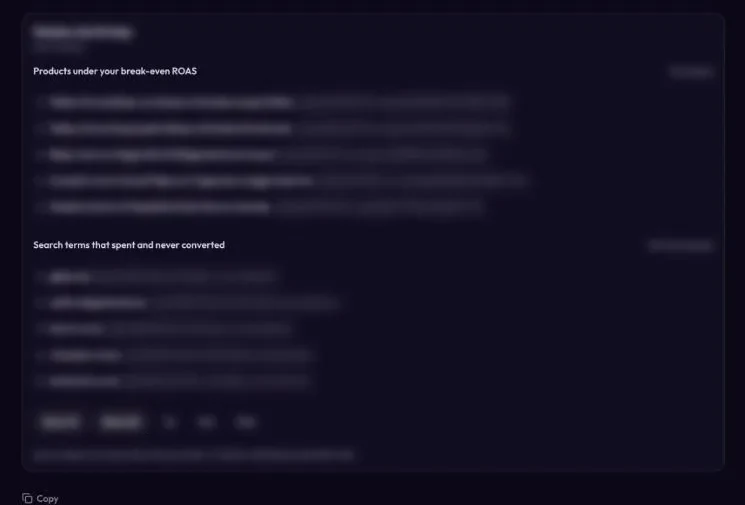
Scaley Media Buyer skips the export step. It connects to Google Ads read-only and answers from the live account when you ask. Ask "where is my money leaking?" and once you tell it your margin, it lists the products under your break-even ROAS and the search terms that spent and never converted. You see your waste right away. It never changes anything in your account, and it does not scan on its own. It answers when you ask. See Scaley Media Buyer.
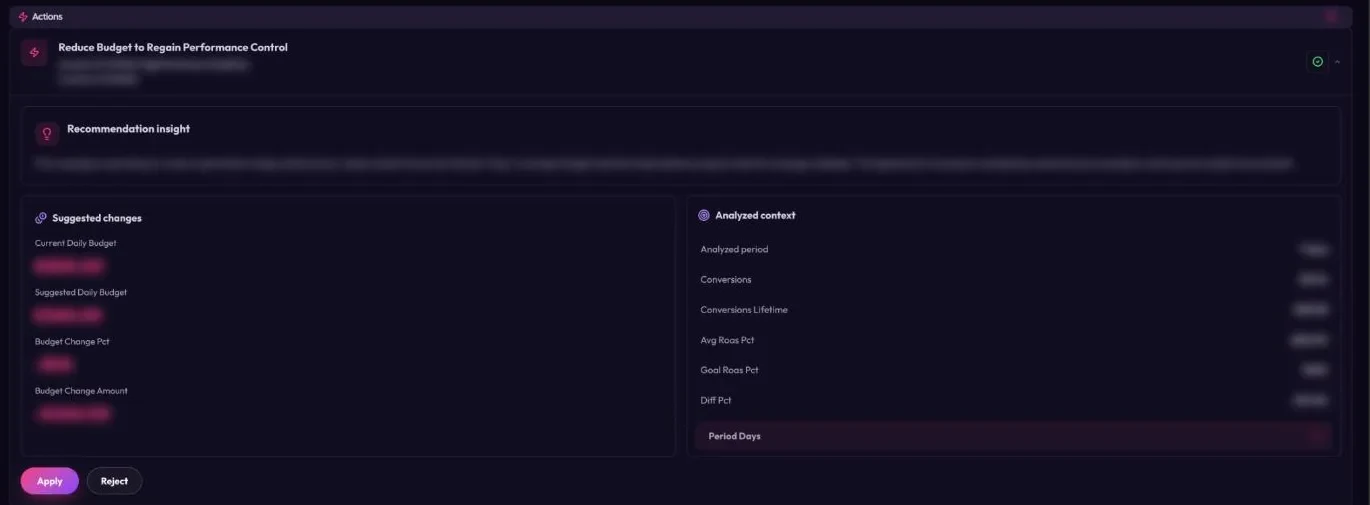
Scaley Suite finds the fixes and makes them, but each change waits for your yes on that one change. See Scaley Suite.
| ChatGPT | Scaley Consultant | Scaley Media Buyer | Scaley Suite | |
|---|---|---|---|---|
| Sees your live account | Only through a connector you set up | No | Yes, read-only | Yes |
| Works from uploads | Yes | Yes | Yes | Yes |
| Built only for Google Ads on online stores | No, general | Yes | Yes | Yes |
| Changes your account | Only through a connector that can write | No | No | Only after your yes, one change at a time |
Prices for all three are on the pricing page. Every tier starts with a free trial, card required, and every tier comes with the weekly live call with me. Want to stay with screenshots and connect nothing? See Scaley Consultant. Want the fixes made, one yes at a time? See Scaley Suite. Done with exports? Most stores start with Scaley Media Buyer. Start your free trial and pick it there.
Ask Scaley your first question, from screenshots or from the live account.
Start the 3-Day Free TrialWhich One Should You Use
- Just need ad copy? Use ChatGPT with the prompts above. It is good at it, and you might not need anything else.
- Want answers from your exports without writing prompts? Scaley Consultant.
- Tired of exporting every week? Scaley Media Buyer reads the live account. It is where we tell most stores to start.
- Want the fixes made, with your approval on each one? Scaley Suite.
- Want people to run the whole account for you? That is an agency job. If yours is not getting results, find a better one. ZenoX Media, the agency I mentioned above, is one option.
More on the chat side of Scaley lives on the GPT for Google Ads page.
Where These Facts Come From
Checked on 2026-11-03:
- About responsive search ads, Google Ads Help - up to 15 headlines of 30 characters and up to 4 descriptions of 90 characters.
- About sitelink assets, Google Ads Help - link text of 25 characters and description lines of 35 characters.
- About callout assets, Google Ads Help - callout text of 25 characters.
- Title, Google Merchant Center Help - product titles up to 150 characters.
- Google Ads scripts, Google for Developers - what Google Ads scripts are and what they can do.
- Data Controls FAQ, OpenAI Help Center - the setting that decides whether your chats are used to train OpenAI's models.
- Break-even ROAS is arithmetic: 1 divided by your margin. Redo it with your own numbers.
- The prompts and the problem table come from our own use of ChatGPT on Google Ads work at ZenoX Media. They are experience, not a study.
Frequently Asked Questions
I founded Scaley AI and run ZenoX Media, the Google Ads agency behind it. We have $200M+ in client revenue tracked through our campaigns, across 400+ store accounts. Scaley Media Buyer puts those answers in a chat.
See where Scaley would cut waste on your Google Ads
Connect read-only in under five minutes and ask where the money went. Every level starts with a 3-day free trial. Card required. Cancel anytime.
Start the 3-Day Free TrialMore Worth Reading
Claude for Google Ads: What It Can Do and Where It Stops
Claude for Google Ads, checked Nov 2026: four ways to use it today, from a chat with your CSV exports to Google's skills in Claude Code, and where it stops.
ReadGoogle Ads AI Agent: 4 Levels and How to Test One
What a Google Ads AI agent is, the four levels from read-only to acting alone, the real risks, and seven questions to ask before one touches your account.
ReadGoogle Shopping Optimization: What Moves Sales
Google Shopping optimization for stores: product titles, feed fixes, bids, search terms and product splits, ranked by how much each one moved real sales.
Read