 Scaley
Four ways to put Claude on a Google Ads account today, what it can see in each, and where each one stops.
Claude for Google Ads: What It Can Do and Where It Stops
Claude for Google Ads, checked Nov 2026: four ways to use it today, from a chat with your CSV exports to Google's skills in Claude Code, and where it stops.

Written and reviewed by Christopher Krassnig
Published Last checked
Claude can help with Google Ads, but it cannot run an account on its own. There are four ways to use it today: a chat with your exports, a connector, Google's skills in Claude Code, or Claude in Chrome. It sees only what you upload, connect, or show it in your browser.
Not sure which one you need? Here is what each route really gives you, checked against Anthropic's and Google's own pages on November 3, 2026. For the wider plan of handing work to AI step by step, start with how to manage Google Ads with AI. If you want the step-by-step server setup, that lives in our Google Ads MCP post. This one is about the choice.
Claude for Google Ads: The Four Routes Side by Side
| Route | What Claude sees | Setup | Claude plan | Can it change your account? |
|---|---|---|---|---|
| Chat with exports | Only the files and screenshots you upload | None | Free works | No |
| Connector | Live data from whatever server you add | Paste a server URL, sign in | Free gets one custom connector | Depends on the server |
| Claude Code + Google's skills | Live data through Google's own server | Google Cloud project, API access, terminal | Paid plans (not Free) | Assets and labels only, after a confirm step |
| Claude in Chrome | The Google Ads screens you are logged into | Install the extension | Paid plans (not Free) | Yes, it clicks like you would |
Prices on Claude's pricing page on November 3, 2026: there is a Free plan, and paid plans start at Pro, $20 a month (or $17 a month billed yearly). Max starts at $100 a month, and the page also lists Ultra, Team and Enterprise.
Route 1: Upload Your Google Ads Exports to a Claude Chat
This is where most people should start. You connect nothing, so nothing in your account can break.
Anthropic's help page says each file in a chat can be up to 500MB, and CSV is on the list. Two catches from the same page. For CSV and other non-PDF files, "Claude extracts text only." And to upload Excel files (XLSX), you have to turn on code execution and file creation in your settings first. So export as CSV and you skip that step.
The four steps:
- Make a project for your store. Create a Claude project and put your store facts in it once: what you sell, your margin, your break-even ROAS and your country. Free plans allow up to 5 projects.
- Export the right report. Download a CSV from Google Ads for the job, such as search terms or products for the last 30 days. Upload it to the chat. A chat takes up to 20 files.
- Ask one question. Ask one clear thing, like which search terms spent money with zero sales, and ask Claude to show the rows it used.
- Check it in Google Ads. Before you change anything, open the same report in Google Ads and check the numbers that matter. Then make the change yourself.
Do not know your break-even ROAS? The break-even ROAS calculator gives it to you in ten seconds.
Which reports I export first, in this order:
- Search terms, last 30 days. Where most store accounts leak money.
- Products, last 30 days. Which items spend and do not sell.
- Campaigns, this week vs last week. For "what changed?"
With the project set up, a question like this gets a real answer:
Use the search terms CSV I just uploaded.
List every term with cost above my break-even cost per sale and zero conversions.
Group them by theme, show the total cost per theme, and show me the rows you used.
Mark any term that looks like a buyer, so I check it before I block it.
"Show me the rows you used" matters most. It turns a confident summary into something you can check.
Want ready-made prompts for copy, keywords and Shopping titles? Our ChatGPT prompts for Google Ads work in Claude word for word.
Route 2: Add a Google Ads Connector to Claude
A connector lets Claude call another service while you chat. For Google Ads, that means it fetches your numbers instead of waiting for an upload.
When I searched Claude's connector directory on November 3, 2026, I did not find a Google Ads connector made by Google. The Google apps I saw there were Gmail, Google Drive and Google Calendar.
So a Google Ads server goes in by hand, as a custom connector. Anthropic's help page says it works on every plan, Free users get one, and you add it under Customize, then Connectors, then "Add custom connector", with the server's URL. Hosted Google Ads servers from Zapier, Pipedream and Composio all work this way, and our Google Ads MCP post compares what each one can touch.
Read Anthropic's warnings before you paste any URL:
- "Custom connectors allow you to connect Claude to services that haven't been verified by Anthropic."
- "Malicious MCP servers may include hidden instructions that try to make Claude perform unintended actions."
- Pick "Allow always" only for a server and tool you trust to run with nobody watching.
My rule for an ad account: look at the server's tool list first. If it has anything that sets campaign status, edits budgets or changes bids, keep approval on for every call. Some hosted Google Ads servers have exactly those tools.
Route 3: Google's Google Ads Skills in Claude Code
Looking for Claude skills for Google Ads? This is the route. It is for people who are fine in a terminal.
A skill, in Anthropic's words, "is a set of instructions - packaged as a simple folder" that teaches Claude a task. Google publishes its own in a GitHub repository called google/skills, under the Apache 2.0 license. Three of the skills in its advertising folder are for Google Ads:
| Skill | What it is for |
|---|---|
| google-ads-api-quickstart | Getting started with the Google Ads API |
| google-ads-api-mcp-setup | Installing Google's own Google Ads server |
| google-ads-api-account-diagnostics | "Diagnoses Google Ads account performance issues such as conversion loss (value or volume)" |
The diagnostics skill is the interesting one. Per its instructions, it compares date ranges, splits a drop by device and by conversion action, checks lost impression share for budget vs ad rank, and looks at recent bid, budget and targeting edits. It only runs queries. Anything it suggests, you do yourself.
To add them in Claude Code, Google's page gives claude plugin marketplace add google/skills, then a plugin install from that marketplace. Or npx skills add google/skills and pick the ones you want.
The skills need Google's own Google Ads server to see your account. What that server can change, and how to set it up, is in the Google Ads MCP guide.
Claude Code comes with Claude's paid plans. It is not on the Free plan.
Route 4: Claude in Chrome on the Google Ads Screen
Claude in Chrome is a browser extension. It reads the page you are on and clicks for you. On Google Ads, that means it can open reports, read tables and, yes, change things. Anthropic's permissions guide says it is on paid plans only.
It has three modes:
- Manually approve: "Claude pauses and asks for approval before each action."
- Automatically approve: it keeps going and checks each action for safety itself.
- Skip all approvals: "Claude doesn't pause to ask and nothing checks its actions automatically."
Anthropic lists things Claude never does in Chrome, like purchases and financial transactions. Raising a daily budget is not named on that list. So in an ad account, stay on Manually approve. I would not run the other two modes on an account that spends real money. If you want to know how far AI agents can go on an ad account, our Google Ads AI agent post covers it.
What Claude Is Good at in Google Ads
| Job | What you get |
|---|---|
| Ad copy | Headlines and descriptions inside Google's limits, if you ask it to count characters |
| Reading a messy export | Hundreds of search terms grouped by theme, a boring job for a person |
| Explaining a drop | Give it this week and last week, get a checklist of what to look at, in order |
| Drafting code | Google Ads scripts and GAQL queries (the query language for the Google Ads API). Read every line before you run it |
| Teaching | "Explain target ROAS like I sell candles" works well |
What Claude Cannot Do Yet
- It does not see your account on its own. It sees what you upload, what a connector fetches, or the screen it reads in Chrome. Nothing else.
- It does not know your margin. A 3x ROAS is great for one store and a loss for another. Tell it your break-even, every time.
- Memory is not account history. Claude's plans include memory, but it remembers what you told it. It does not know you tested free shipping in March, or why that negative keyword is there.
- It can be confidently wrong. When Claude writes the query itself, a wrong date range or field gives a neat, wrong answer. Check the numbers that drive a decision in Google Ads itself.
- A connector has the powers of its server. Claude does not add a safety net on top. If the server can pause a campaign, a rushed message can too.
- Your data goes somewhere. On Free, Pro and Max you pick in the privacy settings whether chats help train Anthropic's models. Opted in, Anthropic keeps new chats up to five years. Opted out, 30 days. Team, Enterprise and API use sit under different terms.
For the safety side, read whether it is safe to give AI access to Google Ads.
Where Scaley Fits Next to Claude
Disclosure: I founded Scaley. I also run ZenoX Media, a Google Ads agency for online stores. Scaley is not a Claude add-on. It picks between several AI models for each job, and it answers from what we learned running store accounts at ZenoX Media.
Each Scaley level lines up with a route above, minus the setup:
- Route 1 without the prompt writing: Scaley Consultant. Connects nothing. Upload screenshots or CSVs and ask the way you would ask me on a call.
- Routes 2 and 3 without the server: Scaley Media Buyer. It reads your live Google Ads account read-only and answers when you ask. It never changes anything and never scans on its own. The chat has quick checks for Wasters, Winners and Trending.
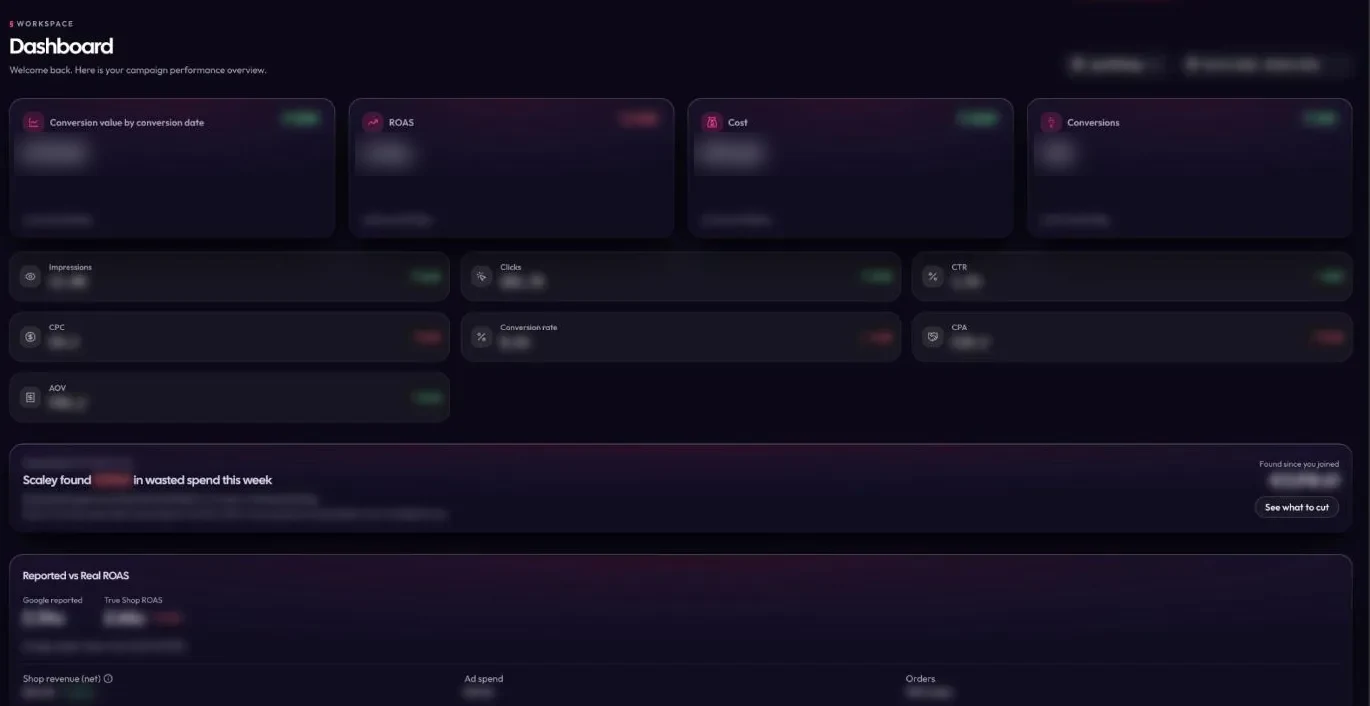
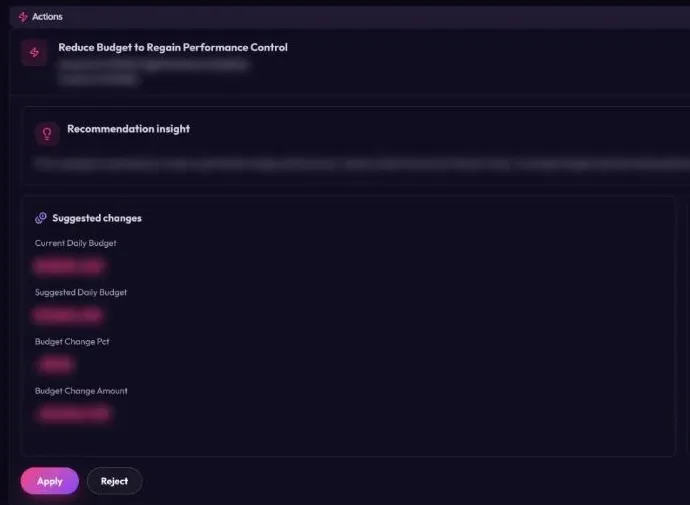
- The fix found for you, no server to vet: Scaley Suite. It finds the fix and shows you the numbers behind it. One-click connect, no server to run. Each change waits for your yes on that one change. On Suite, the dashboard counts the wasted spend Scaley found this week.
Every level includes the weekly live call with me. Prices are on the pricing page, and every level starts with a free trial, card required. Start your trial here.
Ask Scaley where your Google Ads money goes, from screenshots or from the live account.
Start the 3-Day Free TrialWhich Route Should You Pick
- You want ad copy and help with a report now. Route 1. A Claude chat and a CSV.
- You want live numbers and like tinkering. Route 3. Google's skills and server in Claude Code.
- You found a hosted connector you like. Route 2, after you read its tool list.
- You want Claude clicking inside Google Ads. Route 4, on Manually approve only.
- You want live answers with no setup, and changes only on your yes. That is what we built Scaley for.
Comparing more tools than Claude? Our best AI for Google Ads list sorts them by what each can touch, and can AI do my Google Ads is the two-minute answer. If you live in ChatGPT instead, see our GPT for Google Ads page.
Where These Facts Come From
Checked on 2026-11-03:
- Claude pricing - Free, Pro at $20 monthly or $17 a month billed yearly, Max from $100, plus Ultra, Team and Enterprise. Connectors, skills and memory on Free. Up to 5 projects on Free. Claude Code, Claude in Chrome and Research on Pro and Max, not on Free.
- Upload files to Claude, Claude Help Center - 20 files per chat, 500MB per file in chats, 30MB per file in projects, CSV supported, text-only extraction for non-PDF files, code execution needed for XLSX.
- Get started with custom connectors using remote MCP, Claude Help Center - plans, one custom connector on Free, the steps to add one, and the warnings about unverified servers, hidden instructions and "Allow always".
- Claude connectors directory - searched for a Google Ads connector made by Google. Google apps listed: Gmail, Google Drive, Google Calendar.
- Claude in Chrome permissions guide, Claude Help Center - the three permission modes, the list of actions Claude never takes, and paid plans only.
- The Complete Guide to Building Skills for Claude, Anthropic - the definition of a skill.
- google/skills on GitHub and its ads folder - Apache 2.0, the three Google Ads API skills, and the Claude Code install commands.
- google-ads-api-account-diagnostics SKILL.md - the skill's description, its checks, and that it needs the Google Ads MCP server.
- googleads/google-ads-mcp on GitHub - the server's tools, the asset and label write tools with a confirm step in version 0.0.6, and no tools for bids, budgets or campaign status.
- Updates to Consumer Terms and Privacy Policy, Anthropic - the training choice on Free, Pro and Max, five-year vs 30-day retention, and the products these terms do not cover.
- The export order, the project setup and the prompt come from our own Google Ads work at ZenoX Media. That is experience, not a study.
Frequently Asked Questions
I founded Scaley AI and run ZenoX Media, the Google Ads agency behind it. We have $200M+ in client revenue tracked through our campaigns, across 400+ store accounts. Scaley Media Buyer puts those answers in a chat.
See where Scaley would cut waste on your Google Ads
Connect read-only in under five minutes and ask where the money went. Every level starts with a 3-day free trial. Card required. Cancel anytime.
Start the 3-Day Free TrialMore Worth Reading
ChatGPT Prompts for Google Ads That Work
ChatGPT prompts for Google Ads: copy, keywords, negatives and reports. Prompts you can paste today, what ChatGPT gets wrong, and where it needs your real data.
ReadGoogle Ads MCP Server: Set It Up with Claude in 5 Steps
Google's free Google Ads MCP server, checked Nov 2026: what it reads, the four new write tools, 5 setup steps with real commands, and free vs hosted servers.
ReadGoogle Ads AI Agent: 4 Levels and How to Test One
What a Google Ads AI agent is, the four levels from read-only to acting alone, the real risks, and seven questions to ask before one touches your account.
Read