 Scaley
What a Google Ads AI agent really does in one day at each level: read, propose, act after a yes, act alone. Where it goes wrong, and how to test one.
Google Ads AI Agent: 4 Levels and How to Test One
What a Google Ads AI agent is, the four levels from read-only to acting alone, the real risks, and seven questions to ask before one touches your account.

Written and reviewed by Christopher Krassnig
Published Last checked
A Google Ads AI agent is software that plugs into your Google Ads account, works toward a goal and uses tools to read data or make changes. AI agents for Google Ads come in four levels: some only read and answer, some propose fixes, some make a change after your yes, and some act on their own.
I run ZenoX Media, a Google Ads agency that has run the ads for 400+ store accounts, and I built Scaley, an AI media buyer. So I sell one of these. Keep that in mind. Everything below about other tools comes from their own pages or named trade press, checked today.
If you want the full how-to for running your ads with AI, start with our guide on how to manage Google Ads with AI. This post zooms in on one question: how much should the agent be allowed to do?
Google Ads AI Agents at a Glance
| Level | What the agent does | Who decides | Example | Worst case |
|---|---|---|---|---|
| 1. Read | Reads the live account and answers questions | You, by hand | Google's MCP server with writes turned off | A wrong answer you act on |
| 2. Propose | Finds a problem and drafts the fix | You make the change yourself | Most audit tools and AI reports | You skip the fix |
| 3. Act after a yes | Makes the change once you approve that one change | You, one change at a time | Google's Ads Advisor, Scaley Suite | You approve something you did not read |
| 4. Act alone | Changes the account without asking each time | The agent, inside the limits you set | Smart Bidding (bids only), tools that "adjust automatically" | Money spent before you notice |
What Makes Something a Google Ads AI Agent
It has a goal, like "cut wasted spend". It has tools, like reading the search terms report or adding a negative keyword. It runs in a loop: look, decide, act, look again.
People call that loop Google Ads agentic AI. The AI does not just answer once. It takes the next step by itself, then checks what happened.
A normal chat with ChatGPT is not an agent. It only knows the screenshot you paste. It cannot go and fetch last week's numbers. The moment an AI can pull data from your account by itself, it starts acting like an agent.
The word gets stretched a lot right now. A tool that sends you a weekly PDF is not an agent. A tool that rewrites your bids every hour is. Most products sit somewhere in the middle, and the sales page rarely says where.
The Four Levels of Autonomy
Level 1: Read
The agent reads your account and answers when you ask. It cannot change a thing.
Google's own MCP server is the plain example. It lets an AI like Claude run queries on your account. Since release v0.0.6 it also has four write tools for assets and labels. Google's GitHub page says that for strictly read-only use you set labels: false and assets: false in the settings file. Our Google Ads MCP guide has the setup.
Level 1 is where I tell every store to start. You get the answers without the risk. More on that in whether AI can read your account without changing it.
Level 2: Propose
The agent finds the problem and writes the fix. You click the buttons yourself.
It is safe. It is also slow. If the agent finds 40 search terms that wasted money and you have to add each negative by hand, half of them never get added. Proposals that nobody acts on save nothing.
Level 3: Act After a Yes
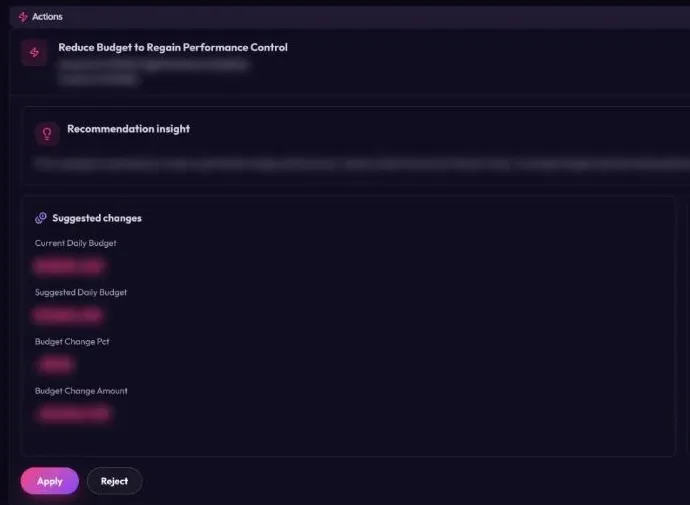
The agent prepares the change, shows it to you, and makes it only after you say yes to that one change.
Google's Ads Advisor works this way. Google's announcement from November 2025 says that "with your review and approval, it can then apply these changes directly to your account". In May 2026 Google announced Ask Advisor, a beta agent that brings Ads, Analytics and Commerce together. PPC Land says Ads Advisor always needed your approval before a change, and that a person stays in the loop for big changes.
Google's MCP server uses the same pattern for its new write tools. It proposes first, then waits for a confirm "after explicit user approval". Nothing on the page says the server checks that a person said yes. That is our reading, not Google's words. If your AI app auto-approves tool calls, the agent could approve itself. So keep approval on.
Level 4: Act Alone
The agent changes your account without asking each time. You set limits up front and read a log later.
You already run one level 4 agent: Smart Bidding. Google defines it as bid strategies that "use Google AI to optimize for conversions or conversion value". It sets the bid in each auction. Nobody approves each bid. That works because the job is narrow and Google sees auction data no outside tool can see. Read what Smart Bidding is if you want the details, and our AI Max post for Google's newest hands-off feature.
Autonomous Google Ads tools from outside Google go further. They touch keywords, budgets and campaigns, not just bids. Ryze AI is one. Its home page, checked on 2026-11-03, says "Autonomous agents that optimize your ads, SEO, and landing pages" and "Monitors campaigns 24/7, adjusts automatically". The same page also says you can "apply changes with one click". So ask which changes run alone on your plan. Our Ryze AI comparison goes deeper.
Not every name on these lists is software, either. groas calls itself "a done-for-you marketing service, not software". Its line "Ask in Slack: your account manager acts, inside your guardrails, and logs the change" is about a person. So groas is a human service that works inside rules you agree on. It is not an agent. More in our groas comparison.
What a Google Ads AI Agent Does in One Day
Same account, same problem, four levels. Say a search term like "free phone case template" spent $85 yesterday and sold nothing.
| Time | Level 1: Read | Level 2: Propose | Level 3: Act After a Yes | Level 4: Act Alone |
|---|---|---|---|---|
| Morning | You ask "what wasted money yesterday?" It lists the term | The report flags the term and drafts a negative keyword | It shows a card: add "free" as a negative, here is why | It already added the negative last night |
| Midday | You add the negative by hand, if you remember | You add it by hand, if you get to it | You tap yes. It adds the negative | It moves budget to a campaign it likes |
| Evening | Nothing else happens | Nothing else happens | It shows the next card. You decide | You read the log. Some changes you would not have made |
The waste stops fastest on levels 3 and 4. On level 3 you made the call. On level 4 you read about it after.
The Risks of Google Ads AI Agents
An agent can only be as good as what it sees. Here is where it goes wrong, from what we see in the store accounts at ZenoX Media:
- Wrong numbers in, wrong changes out. If your conversion tracking counts each sale twice, the agent sees double the sales. It will push money into campaigns that lose. So check your tracking before you connect any agent.
- It does not know your margin. A 3x ROAS is great on a product with a 70% margin and a loss on one with a 25% margin. Unless you tell the agent your numbers, it cannot tell the two apart.
- Two AIs pulling on the same rope. Smart Bidding already moves bids in every auction. An outside agent that keeps changing budgets and targets on top of it gives Smart Bidding a moving goal.
- Your data leaves the building. Google's MCP page says it straight: "The MCP Server will expose your data to the Agent or LLM that you connect to it." Every agent works this way. Know where your data goes.
- Small mistakes repeat fast. A person makes a bad change once. An agent acting alone can make the same bad change across 30 campaigns before lunch.
This is why our guide to managing Google Ads with AI warns against going fully hands-off on day one. Climb one level at a time.
How to Test a Google Ads AI Agent: 7 Questions
Ask the vendor these before you connect anything. If they cannot answer in writing, walk away.
- Which level is it on? Read, propose, act after a yes, or act alone. Get it per action, not per plan. Adding a negative and raising a budget are not the same risk.
- Can I make it read-only? You want a week of reading before any writing.
- Does every change wait for my yes, one change at a time? "You approve the strategy" is not the same as "you approve each change".
- Will I see every change in the Google Ads change history? If it is not in Google's own log, you cannot check it.
- Where do I tell it my margin? No margin, no profit math.
- What can it never touch? A good agent has a short list of things it will not do.
- What happens to my data? Which AI models see it, and who else.
Then run the test yourself:
- Connect it read-only for the first week.
- Ask where your money goes and check one answer against the Google Ads screen.
- Give it your break-even ROAS or your margin per product.
- Approve one small change, like a few negative keywords.
- Open the change history seven days later. If you cannot see what changed, when and why, stop there.
For a wider look at the tools, read our ranking of the best AI for Google Ads, and see whether it is safe to give AI access to Google Ads.
What AI Agents Cannot Do Yet
- Pick what you sell. An agent can tell you a product loses money on ads. It cannot find you a better product.
- Fix your tracking. It can spot numbers that look off. It cannot log into Shopify and fix a double-counting pixel.
- Know what is coming. A sale next week, a supplier out of stock, a price change. If you do not tell it, it does not know.
- Judge your brand. It can write 15 headlines. It does not know which one sounds like you.
- Take the blame. When a change goes wrong, the money is yours. That is the best reason to keep the final say.
So can AI do your Google Ads? A good part of it, yes. Our short answer on whether AI can do your Google Ads covers where the line is.
Where Scaley Sits
Disclosure again: I built Scaley, so weigh this part with that in mind. We made one choice on purpose. Scaley never acts alone. It is never a level 4 agent.
- Scaley Consultant is not an agent at all. It connects to nothing. You upload screenshots or CSV exports and ask.
- Scaley Media Buyer is level 1. It reads your live Google Ads account read-only and answers when you ask. It never changes anything and never scans on its own. The chat has quick checks for Wasters, Winners and Trending, so you can ask "where is my waste?" in one tap.
- Scaley Suite is level 3. It finds fixes and makes each change only after you say yes to that one change.
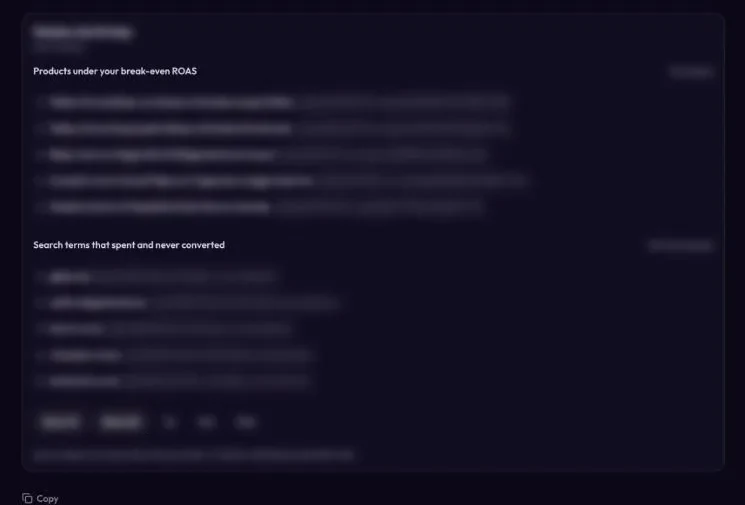
Each card holds one change with the reason next to it, and nothing happens until you tap yes. Behind each card sits a written library of 95 SOPs and 100+ playbooks. That library belongs to ZenoX Media, the Google Ads agency behind Scaley. Scaley reads it when it prepares a change. No model was trained on it. Scaley mixes several AI models through a router.
You can read more on what an AI media buyer is. Prices for all three are on the pricing page. Every tier starts with a free trial, card required, and you can start yours here.
Where These Facts Come From
Checked on 2026-11-03:
- googleads/google-ads-mcp on GitHub - the seven tools, the four write tools, the read-only settings, the propose-and-confirm flow "after explicit user approval", and the data exposure note.
- googleads/google-ads-mcp releases on GitHub - release v0.0.6: "Implement asset and label management with propose-and-confirm flow".
- Ads Advisor and Analytics Advisor, Google blog - posted November 12, 2025: what Ads Advisor does and "With your review and approval, it can then apply these changes directly to your account..."
- Google's Ask Advisor unifies Ads, Analytics and Commerce in one AI agent, PPC Land - announced May 20, 2026 at Google Marketing Live, in beta, Ads Advisor "has always required advertiser approval", and the human "remains in the loop for consequential changes".
- About Smart Bidding, Google Ads Help - Google's definition of Smart Bidding.
- Ryze AI home page - "Autonomous agents that optimize your ads, SEO, and landing pages", "Monitors campaigns 24/7, adjusts automatically" and "apply changes with one click".
- groas home page - groas describes itself as "a done-for-you marketing service, not software", run by a human account manager. Quoted: "Ask in Slack: your account manager acts, inside your guardrails, and logs the change." and "Budgets, brand rules and approvals agreed with you, and never crossed."
- The search term example ($85, "free phone case template") and the margin example (3x ROAS at a 70% vs a 25% margin) are made up to show the ideas. The margin math is real: break-even ROAS is about 1.43 at a 70% margin and 4.0 at a 25% margin. The risks list comes from our own agency work at ZenoX Media, not a survey.
Frequently Asked Questions
I founded Scaley AI and run ZenoX Media, the Google Ads agency behind it. We have $200M+ in client revenue tracked through our campaigns, across 400+ store accounts. Scaley Media Buyer puts those answers in a chat.
See where Scaley would cut waste on your Google Ads
Connect read-only in under five minutes and ask where the money went. Every level starts with a 3-day free trial. Card required. Cancel anytime.
Start the 3-Day Free TrialMore Worth Reading
ChatGPT Prompts for Google Ads That Work
ChatGPT prompts for Google Ads: copy, keywords, negatives and reports. Prompts you can paste today, what ChatGPT gets wrong, and where it needs your real data.
ReadClaude for Google Ads: What It Can Do and Where It Stops
Claude for Google Ads, checked Nov 2026: four ways to use it today, from a chat with your CSV exports to Google's skills in Claude Code, and where it stops.
ReadBest AI for Google Ads in 2026, Sorted by What It Can Touch
The best AI for Google Ads depends on the job. We sort Google Ads AI tools, from ChatGPT and Claude to Optmyzr, Ryze, groas and Scaley, by what each can touch.
Read