

Nine AI ad platforms across Google, Meta, TikTok, Snapchat, LinkedIn and streaming TV. Every rival fact is sourced and dated, read on 11 or 12 November 2026.
Best AI Advertising Platforms for Store Owners
800 clicks and no sales? We sorted 9 AI advertising platforms by channel, price and who presses go. Our pick for Google Ads stores waits for your yes.

Written and reviewed by Christopher Krassnig
Published Last checked
Short answer: if you sell online and run your own Google Ads, the best AI advertising platform is Scaley. It reads your live Google Ads account and names what spent money and sold nothing. On the top tier it makes each fix only after you say yes. We build it, so weigh that, and check every reason below.
If your money goes somewhere else, another platform wins.
Disclosure. I founded Scaley. I also run ZenoX Media, an agency that runs Google Ads for online stores. Every rival fact on this page comes off the rival's own site or the review site I name, read on 11 or 12 November 2026. Where a page shows no price, I say so.
Our Ranking for Store Owners
This ranking is for one reader: you own an online store, and you run the ads yourself. A brand with a media team would order it differently.
- Scaley. Best for a store owner running their own Google Ads. Media Buyer reads the live account and changes nothing. Suite makes each change only after your yes. Where it loses: no Meta, no TikTok, and it does not make your ads.
- Google's own AI. Best for anyone on Google Ads. That means Performance Max, AI Max and Smart Bidding (Google setting your bids for you). It is already in your account, with no separate price on Google's pages. Where it loses: it acts on its own, and it is not a second opinion on Google.
- Meta Advantage+. Best for a store whose main channel is Meta. It is already in your Meta account. Where it loses: Meta only, and it moves your budget on its own.
- Ryze AI. Best for one bill across Google, Meta, TikTok and LinkedIn. $89 a month, flat. Where it loses: its own pages disagree on whether it asks before a change.
- Birch. Best for someone buying Meta and TikTok ads who already knows their rules. Rules for Meta, TikTok, Snapchat and Google, priced by your ad spend. Where it loses: once a rule is on, it acts without asking each time.
- Madgicx. Best for a Meta store that wants account audits and ad launches outside Meta's own Ads Manager. Where it loses: it does not manage Google Ads, and the main plan's price is shown only inside the app.
- AdCreative.ai. Best for a store short on ad images and videos. From $39 a month. Where it loses: it makes ads. It does not tell you which ones lose money.
- Albert. Best for a brand with a big budget and a media team. It runs Google search, banner ads across other sites, Facebook, Instagram, YouTube and Bing on its own. Where it loses: no price on the page, and the smallest budget box on its pricing form is $100k-$500k a year.
- Smartly. Best for big brand teams buying across social, TV and video. Where it loses: no price, no trial, a demo first.
If you would rather hand it off, a good agency is still an option. I run one, ZenoX Media. If you only buy on Google, our best AI tools for Google Ads goes deeper on that one channel, with Opteo, Optmyzr and the rest.
The Two Questions That Sort Every Platform
1. Which channels does it cover? Google Search and Shopping catch people who already want your product. Meta and TikTok put it in front of people who were not looking. Our guide to PPC platforms explains which one a store should start on. A platform that only covers the channel you do not use is worth nothing to you.
2. Who presses go? There are four answers:
- Read only. It tells you what is wrong. You make the change.
- Asks first. It writes the change and waits for your yes on each one.
- Acts alone. You set guardrails once, then it moves bids, budgets or ads without asking.
- Makes ads only. It hands you images, videos or copy. Something else runs them.
Burning cash on clicks that never buy is a reading problem first. You need to see where the money went before anything should change. That is why the second question matters more than the first.
AI Advertising Platforms Compared
| Platform | Channels | What it does | Who presses go | Price on its site |
|---|---|---|---|---|
| Scaley | Google Ads | Reads your live account, names waste. Suite writes the fixes | You. Media Buyer is read-only. Suite waits for your yes on each change | Monthly fee per tier. Media Buyer and Suite add a share of ad spend. See pricing. Free trial, card required |
| Performance Max, AI Max | Google Ads | Bids, matching, ad text, landing pages | Google, inside limits you set | No separate price found. You pay for the ads |
| Meta Advantage+ | Meta | Audience, placement and budget | Meta, automatically | No price on the page we read. You pay for the ads |
| Ryze AI | Google, Meta, TikTok, LinkedIn | Bids, budgets, creative rotation, wasted spend | Pricing page: "Approval on every change". Homepage: "adjusts automatically" | $89 a month flat. 7-day trial, card and a $1 setup fee |
| Birch | Meta, Google, Snapchat, TikTok | Rules on bids and budgets, bulk ad launches | The rule, once you switch it on | Priced by ad spend. Essential $49, Pro $99 a month at up to $10K spend (rules listed on the Pro card). 14-day trial |
| Madgicx | Meta (Google Ads in reports only) | Audits, ad launches, budget moves | Not stated on its pages | "See price inside the app". 7-day trial |
| AdCreative.ai | Any, it makes the ads | Banners, ad copy, photoshoots, videos | You run the ads | Starter $39 a month for 20 credits. 7-day trial |
| Albert | Google search and banner ads on other sites, Facebook, Instagram, YouTube, Bing | Bids and budget across channels | Albert, on its own inside your guardrails | "Contact us". Form starts at $100k-$500k yearly ad budget |
| Smartly | Social, streaming TV, ads on other websites, video | Creative and media across channels | Not stated on its homepage | No price. "Get a Demo" |
The Pick for Each Job
Scaley for Google Ads on an Online Store
This is the job Scaley exists for. You spent $400, got 800 clicks and no sales, and you want to know where it went.
- Consultant reads screenshots and files you upload. It connects to nothing. See Scaley Consultant.
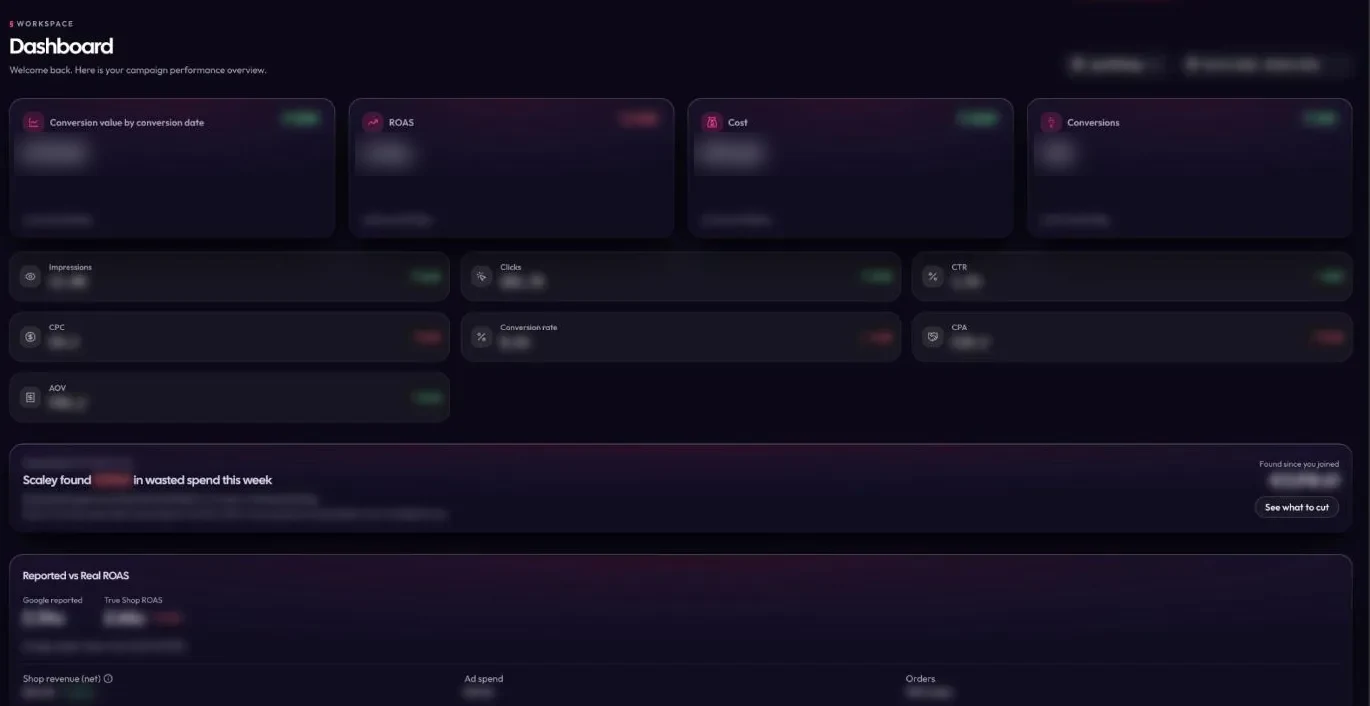
- Media Buyer reads your live Google Ads account, read-only. Ask where the money leaks, and it names the search terms and products that spent and sold nothing. It cannot change a setting. See Scaley Media Buyer.
- Suite writes each fix with the reason and waits. Nothing changes until you say yes to that one change. See Scaley Suite.
It answers from what we learned running store accounts at ZenoX Media. Our page on the AI media buyer shows how the reading works.
Where Scaley loses: it covers Google Ads only. It does not touch Meta or TikTok. It does not design your ads. And it costs more than the AI Google already gives you. Prices for all three tiers are on the pricing page.
Performance Max and AI Max, Already in Your Google Account
Google's help page calls Performance Max "a goal-based campaign type" that reaches "all Google Ads inventory" (every place Google shows ads), including YouTube, Display, Search, Discover, Gmail and Maps, "from a single campaign". AI Max does the same kind of work inside Search campaigns: wider search term matching, ad text it writes for you, and landing pages it picks.
Google's setup page says "New Search campaigns have the AI Max feature turned on by default." And Google's FAQ says the text it writes cannot be edited: the assets "will fully be automated".
Use it. It sets your bid inside every live auction, and no outside tool can do that for you. But it trusts your tracking, and Google checks its own results. Our AI Max guide shows what to watch, and Scaley vs AI Max shows where each one fits.
Advantage+, Already in Your Meta Account
Meta's page calls Advantage+ "a suite of products" that works by "automatically applying AI across your campaign's audience, placement and budget". The page we read listed no price. You pay Meta for the ads.
Same catch as Performance Max: it acts on its own, and Meta also sells you the impressions.
Ryze AI for One Fee Across Many Channels
Ryze AI's pricing page says "Flat monthly fee. Same price at any ad spend." The Paid Ads plan is $89 a month, with a 7-day trial. The card line names Google, Meta, TikTok, LinkedIn "and 50 more integrations". Its refund policy says a trial "requires a valid payment method", plus a one-time $1 setup fee.
The open question is approvals. The pricing page says "Approval on every change". The homepage says it "adjusts automatically". Ask Ryze which one your plan gets before you connect anything. Scaley vs Ryze AI goes row by row.
Birch for Rules on Paid Social
Birch, which used to be Revealbot, sells "Ad automation for performance teams and their agents". Its pricing FAQ says the price follows your ad spend "across all ad accounts you connect to Birch (Meta, Google, Snapchat, TikTok)". At up to $10K of monthly spend, Essential is $49 a month and Pro is $99. Only the Pro card lists automated rules, though the FAQ says every plan gets every feature. The trial is 14 days and does not ask for a card.
On Google, its rules work on "Search, Display, Shopping and Multi channel ads". You write a rule, and Birch changes bids and budgets for you, continuously. That is great if you already know your rules. If you do not, a rule can repeat a bad idea as often as every 15 minutes. Scaley vs Birch has the detail.
Madgicx for Meta Only
Madgicx calls itself "the AI Ads Manager for Meta". Its homepage says advertisers use it "to audit accounts, launch ads and shift budget on their own".
For Google Ads, read the fine print. Madgicx's own academy says it "doesn't offer Google ad management functionality". Google Ads shows up as a data source in its reports. The main plan's price is not printed: the pricing page says "See price inside the app". The trial is 7 days.
AdCreative.ai for Making the Ads
AdCreative.ai says it makes "ad banners, texts, photoshoots, and videos". Starter is $39 a month for 20 credits, with a 7-day trial.
It is a design tool, not a media buyer. A new banner does not show you which product is losing money, so pair it with something that reads your results.
Albert for Big Budgets, Hands Off
Albert's FAQ calls it "the world's first autonomous AI for digital marketers". It says Albert "is integrated with Google's search and programmatic channels, as well as Facebook, Instagram, YouTube and Bing" (programmatic means banner ads bought by software across many websites). It acts on its own, "all within the guardrails you specify". You still bring the plan and the ads: "Albert does not define your strategy or develop your creatives."
Price: "Contact us for a customized pricing plan." The pricing form asks for your yearly ad budget, and the smallest box is $100k-$500k. The FAQ points to "a Proof of Concept of 3 months" (a 3-month test run before you sign up for good). Albert does not print its cost. A store spending $5K a month has no box to tick. Scaley vs Albert has the side by side.
Smartly for Enterprise Creative and Media
Smartly's homepage lists social media, chat ads, streaming TV "across 200+ streaming services", ads on other websites and video, and names Samsung, Spotify and Uber as customers. It prints no price and no trial, only a "Get a Demo" button.
How to Pick in Five Minutes
- Write down where your money goes. Google, Meta, TikTok, or a mix.
- Cross out every platform that skips your main channel.
- Decide who presses go. Read-only, asks first, or acts on its own.
- Read the vendor's own price page. Prices on this page were right on 11 and 12 November 2026. They will move.
- Start read-only. Let it read your account before anything can change it.
I like a yes on every change. The AI does the slow reading. You keep the decisions. For the safety side, read whether it is safe to give AI access to Google Ads.
If you run your own store's Google Ads, start the free trial. Scaley Media Buyer reads your live account and changes nothing. Or check pricing first.
Ask Scaley where your Google Ads money goes, read-only.
Start the 3-Day Free TrialWhere These Facts Come From
Read on the date shown on each line:
- Performance Max, Google Ads Help - "a goal-based campaign type", all Google Ads inventory including YouTube, Display, Search, Discover, Gmail and Maps, from a single campaign (read 12 November 2026), and Smart Bidding in real-time auctions (read 11 November 2026).
- Set up AI Max for Search campaigns, Google Ads Help - "New Search campaigns have the AI Max feature turned on by default" (read 12 November 2026).
- AI Max FAQ, Google Ads Help - generated assets "will fully be automated" and cannot be edited (read 11 November 2026).
- Meta Advantage+ - "a suite of products", "automatically applying AI across your campaign's audience, placement and budget", no price on the page (read 12 November 2026).
- Ryze AI pricing - "Flat monthly fee. Same price at any ad spend.", Paid Ads at $89 a month, the 7-day trial, the channels on the card and "Approval on every change" (read 12 November 2026).
- Ryze AI homepage - "adjusts automatically" (read 11 November 2026).
- Ryze AI refund policy - a trial "requires a valid payment method" and the one-time $1 setup fee (read 11 November 2026).
- Birch pricing - priced by ad spend across Meta, Google, Snapchat and TikTok accounts, the 14-day trial that does not ask for a card (read 12 November 2026), Essential $49 and Pro $99 a month at up to $10K of spend, and plan cards list automated rules under Pro (read 11 November 2026).
- Birch homepage - "Ad automation for performance teams and their agents" (read 11 November 2026).
- Birch Google Ads automation - rules on Search, Display, Shopping and Multi channel ads, and rules that adjust bids and budgets continuously (read 12 November 2026), and automations that can run 'as frequently as every 15 minutes' (read 11 November 2026).
- Madgicx homepage - "the AI Ads Manager for Meta", used "to audit accounts, launch ads and shift budget on their own" (read 12 November 2026) and the 4.5 rating beside the review-site logos (read 11 November 2026).
- Madgicx pricing - "See price inside the app" and the 7-day trial (read 11 November 2026).
- What is Madgicx, Madgicx Academy - "doesn't offer Google ad management functionality" (read 11 November 2026).
- Madgicx on Trustpilot - TrustScore 1.7 from 271 reviews (read 11 November 2026).
- AdCreative.ai homepage - what it makes, Starter $39 a month for 20 credits and the 7-day trial (read 12 November 2026).
- Albert FAQ - "the world's first autonomous AI for digital marketers", the channel list, "all within the guardrails you specify", strategy and creatives stay with you, the 3-month Proof of Concept (read 12 November 2026).
- Albert pricing - "Contact us for a customized pricing plan." and the yearly budget options starting at $100k-$500k (read 11 November 2026).
- Smartly homepage - the channels it lists, "200+ streaming services", the named customers and the "Get a Demo" button, with no price or trial shown (read 12 November 2026).
- Scaley's tiers and what each one can touch come from our own product.
Frequently Asked Questions
Christopher Krassnig runs both Scaley AI and ZenoX Media, his Google Ads agency. We have $200M+ in client revenue tracked through our campaigns, across 400+ store accounts. Scaley is an AI media buyer trained on ZenoX Media's own data.
See where Scaley would cut waste on your Google Ads
Connect read-only in under five minutes and ask where the money went. Every level starts with a 3-day free trial. Card required. Cancel anytime.
Start the 3-Day Free TrialMore Worth Reading
Best AI Affiliate Programs in 2026: Terms Compared
Best AI affiliate programs for marketers: compare rates, cookies, payouts and how long each pays. Check the terms before picking one to promote.
ReadBest Ecommerce Affiliate Programs for Store Owner Audiences
Best ecommerce affiliate programs for store owner audiences: compare Shopify, apps, email and ads tools on rates and payout terms before you choose.
ReadBest Marketing Affiliate Programs: SEO, Ads and AI Tools
Best marketing affiliate programs for SEO, ads and AI tools, with rates, cookies and payout terms. Choose a program that fits what your audience needs.
Read