 Scaley
Dropshipping Automation Platforms: What They Do and What They Skip
A dropshipping automation platform can place your orders, sync your stock and send tracking numbers without you touching each one. We put what four popular platforms say they automate side by side. Then comes the part they leave to you: the ads.

Written and reviewed by Christopher Krassnig
Published Last checked
A dropshipping automation platform links your store to suppliers and does the repeat work: importing products, placing orders, syncing stock and prices, and sending tracking numbers. AutoDS, DSers, Zendrop and Spocket each do a version of that. None of their homepages lists running your Google Ads, like reading search terms and moving budget.
What Each Dropshipping Automation Platform Automates
We read each platform's own homepage on 2026-11-03 and wrote down what it says it does. Nothing here is from a review site or from memory. "Not on its homepage" means we did not find it there that day. The product might still do it, so check before you buy.
| Job | AutoDS | DSers | Zendrop | Spocket |
|---|---|---|---|---|
| Import products to your store | Yes, a products importer | Yes, import and edit before publishing | Yes, one-click imports | Yes, one-click imports |
| Place orders with the supplier | Yes, automatic orders | Yes, process orders in bulk | Yes, through its fulfillment network | Yes, automatic fulfillment |
| Keep stock and price in sync | Yes, price and stock monitoring | Yes, stock and price auto-update | Not on its homepage | Not on its homepage |
| Send tracking numbers to the store | Yes, automatic tracking number updates | Yes, syncs tracking back to the store | Not on its homepage | Yes, order tracking |
| Run its own fulfillment service | Yes, Fulfilled by AutoDS | Not on its homepage (supplier mapping instead) | Yes, US-based 3PL | Not on its homepage (supplier network instead) |
| Write product titles and descriptions | Yes, AI title and description generator | An AI tool to improve product info | Not on its homepage | Not on its homepage |
| Make ad creatives | Links an AI video ad generator | Not on its homepage | Yes, video and image ads for its products | Not on its homepage |
| Run your Google Ads campaigns | Not on its homepage | Not on its homepage | Not on its homepage | Not on its homepage |
These platforms run the back of the shop: suppliers and orders. Some help with the front too. Zendrop and Spocket offer an AI-built store, AutoDS has an ad spy tool for research, and Spocket connects you to suppliers in the US and the EU. None of them says it will run the ads that bring the buyer in.
The Job None of Them Lists: Google Ads Dropshipping
Running Google Ads for a dropshipping store is a weekly job, and none of the four homepages lists it. The work looks like this:
- Reading the search terms that cost money, and blocking the ones that will never buy (negative keywords).
- Finding products that spend and never sell, and pulling them before they eat the test budget.
- Moving budget to the products that do sell, in steps, and reading the result before the next step.
- Rewriting product titles so the feed matches what buyers type. On Shopping, the title does the job a keyword does.
- Checking that Google bids on profit, not only on sales. Unless you send it your costs, Google sees what a product sells for, not what it leaves you.
Shopify's Google & YouTube app is the closest thing on the store side. Shopify says it "automatically syncs your products and relevant information about your Shopify store" to Google Merchant Center. That gets your feed to Google. Reading what that feed's ads spent, and fixing it, is still your job.
Google's own automation, like Performance Max, sets bids and picks placements toward the goal you give it. It is good at that. It does not decide which product deserves the money or tell you which searches wasted it. ZenoX Media, the Google Ads agency our founder runs, covers when to turn on Performance Max for dropshipping.
Why Stock and Price Sync Matters for Google Shopping
If you run Google Shopping, stock and price sync protects your Merchant Center account.
Merchant Center checks that the price and stock in your feed match your product page. Its misrepresentation policy bans "Listing items as available when you lack the capability to fulfill the orders." A supplier runs out, your store still says in stock, and the feed sends that to Google. Now you have a policy problem on top of a lost sale.
So pick a platform that updates stock and price fast for your supplier, and check the feed after big supplier changes. If you already got suspended, the Merchant Center misrepresentation fix walks through it.
How to Choose a Dropshipping Automation Platform
Start from your supplier and your market, not from the feature list. Then check these.
- Where the supplier ships from. If you sell in the US, a platform with US suppliers or warehouses means shorter delivery times you can state honestly to Google.
- Which suppliers it connects to. DSers is built around supplier mapping, so it fits if your suppliers are already in its network. Zendrop and AutoDS also offer their own fulfillment.
- How it handles stock outs. Fast stock and price updates protect your Shopping feed.
- Which store platform you use. Check it supports yours before you build on it.
- What it cannot do. None of these runs your ads. Budget the time, a person or a tool for that part.
Where Scaley Fits Next to Your Automation Platform
We build Scaley AI, and it works on the Google Ads side only. It does not place orders, import products or talk to suppliers. Keep your platform for that.
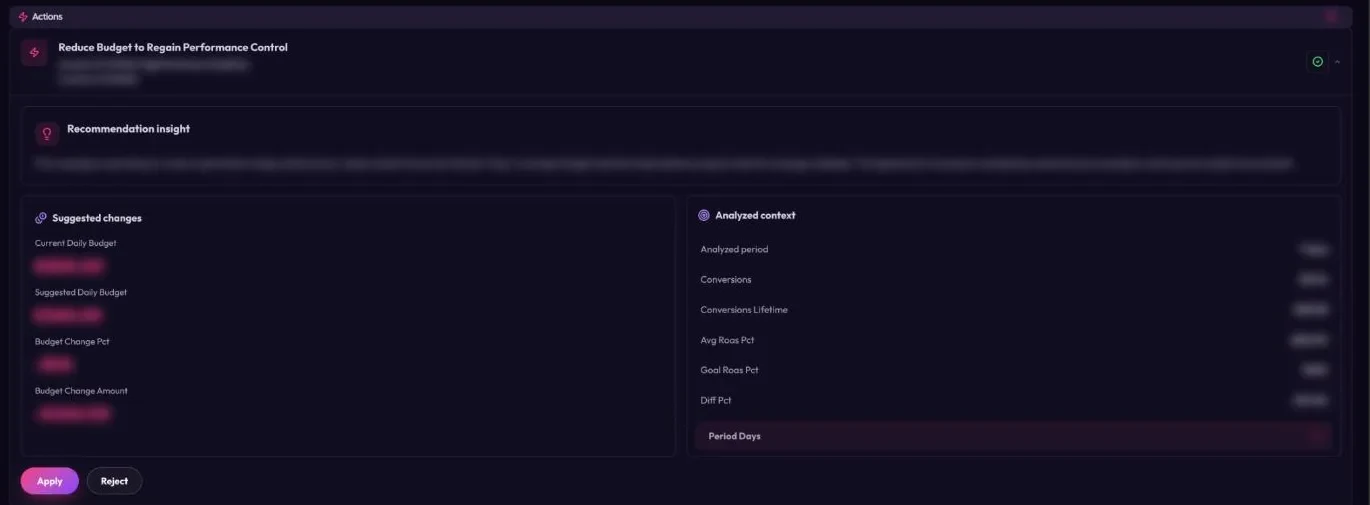
If you want the ads side automated too, that is Scaley Suite ($199/mo + 4% of total ad spend). It finds fixes, like a product to pull or a search to block, and brings each one with the reason. Nothing changes until you say yes to that one change. Its dashboard also shows how much Scaley found in wasted spend this week.
Not ready to let anything touch the account? Scaley Media Buyer ($99/mo + 1% of total ad spend) connects to your live Google Ads read-only. Ask it "which products and searches spent money this week and never sold?" and you see the waste right away. It answers when you ask and never changes a setting. 3-day free trial. Card required. Cancel anytime.
Scaley Consultant ($99/mo flat) answers from screenshots if you do not want to connect anything.
Get the store and the supplier working first. Scaley is worth it once ads are running and there are more products and searches than you can read by hand.
How to Automate a Dropshipping Store End to End
Eight steps, store side first, ads side last.
Pick a Platform That Fits Your Supplier
Match the platform to where your supplier ships from and the market you sell to.
Import a Small Test Set
Bring in the products you want to test, not the whole catalog.
Turn On Stock and Price Sync
So the store, and the Google feed behind it, never sells what the supplier does not have.
Turn On Order Placing and Tracking
Orders go to the supplier and tracking numbers come back to the store without you.
Connect the Store to Merchant Center
On Shopify, the Google & YouTube app syncs your products to Merchant Center.
Match Shipping and Returns in Merchant Center
Set the same delivery times and returns policy your site shows.
Launch One Standard Shopping Test
One campaign, the test products, and a budget you can afford to lose.
Put the Ads on a Weekly Check
Read search terms and product spend every week, by hand or with a read-only tool, and cut what spends without selling.
What Not to Do
- Do not expect an order tool to fix your ads. Fast fulfillment does not stop a bad search term from spending.
- Do not leave stock sync off while you run Shopping. A feed that says in stock when the supplier is out is a misrepresentation risk.
- Do not promise the delivery time on the platform's best day. Promise the time it usually hits.
- Do not hand your ads to an outside tool that edits budgets, products or negatives without asking you. You should see and approve every change it makes.
Questions People Ask
The one that fits your supplier and market. DSers is built around supplier mapping and bulk orders. AutoDS lists product import, price and stock monitoring and its own fulfillment. Zendrop and Spocket lean on their own supplier networks, with Zendrop listing a US-based 3PL and Spocket suppliers in the US and the EU.
Google's Own Pages We Quoted
Every rule on this page is quoted from these pages, read on 3 November 2026. Google changes them, so check the page itself before you act.
- AutoDS homepage (features list)
- DSers homepage (features list)
- Zendrop homepage (features list)
- Spocket homepage (features list)
- Shopify Help Center: Google & YouTube
- Merchant Center Help: Misrepresentation
- Google Ads Help: About Performance Max campaigns
- Google Ads Help: About Shopping campaigns and Shopping ads
Where to Go Next
- Google Ads Automation for DropshippingAutomation that finds dead tests and waits for your yes.
- Google Ads Dropshipping: AI Tools and FixesThe software side: AI tools, Merchant Center fixes and test budgets.
- Google Ads Dropshipping AutomationWhich weekly ad jobs are safe to hand to software.
- Profitable Dropshipping Niches on Google AdsMedian ROAS by niche from real store accounts.
- Scaley for DropshippersAsk why a product test burned budget, from your live account.
- Scaley SuiteFinds the ad fixes and makes each one only after your yes.
Ask Where Your Ad Money Went
Scaley Media Buyer connects read-only. Within minutes of connecting, it names the search terms and products that lost money. The two-minute quiz scores you with no Google Ads login if you are not ready to connect.
3-day free trial. Card required. Cancel anytime