10 Checks Before You Raise Your Google Ads Budget, Even When Sales Are Up
and how to see the reason behind every budget move before you spend a dollar more.

Read this BEFORE you raise your budget again!

TLDR: More budget can grow the money you keep, or your bill. Check these 10 first. They start with sales against spend and a reason you can say out loud. They end with who pays if the tool finds less waste than it costs, and where it learned the job. Then see Scaley Suite give each move its reason.
1. Check That Sales Grew Faster Than Your Spend
Look at this demo store's last 30 days. Sales value went up 22.3%. Time to raise? Not so fast. ROAS went down 5.5%. That means spend grew about 29%, faster than sales. Each extra dollar brought back less than the dollars before it. Now look at which products did the selling.
2. Know Which Products Are Ready for More Budget
Most stores have a few products that sell and lots that only spend. Out of this demo store's 1,283 products, only 119 are winners and 196 are ready to scale. If one campaign carries every product, a raise feeds all of them. If your budget leans on the rest, a raise grows the leak, not the store.
3. Say the Reason for the Raise in One Sentence
This is the check everyone skips. Sales are up, so the raise feels obvious. Finish this sentence: I'm raising because ___ sold at a ROAS of ___ for ___ days. Can't fill in the blanks? Don't raise yet.
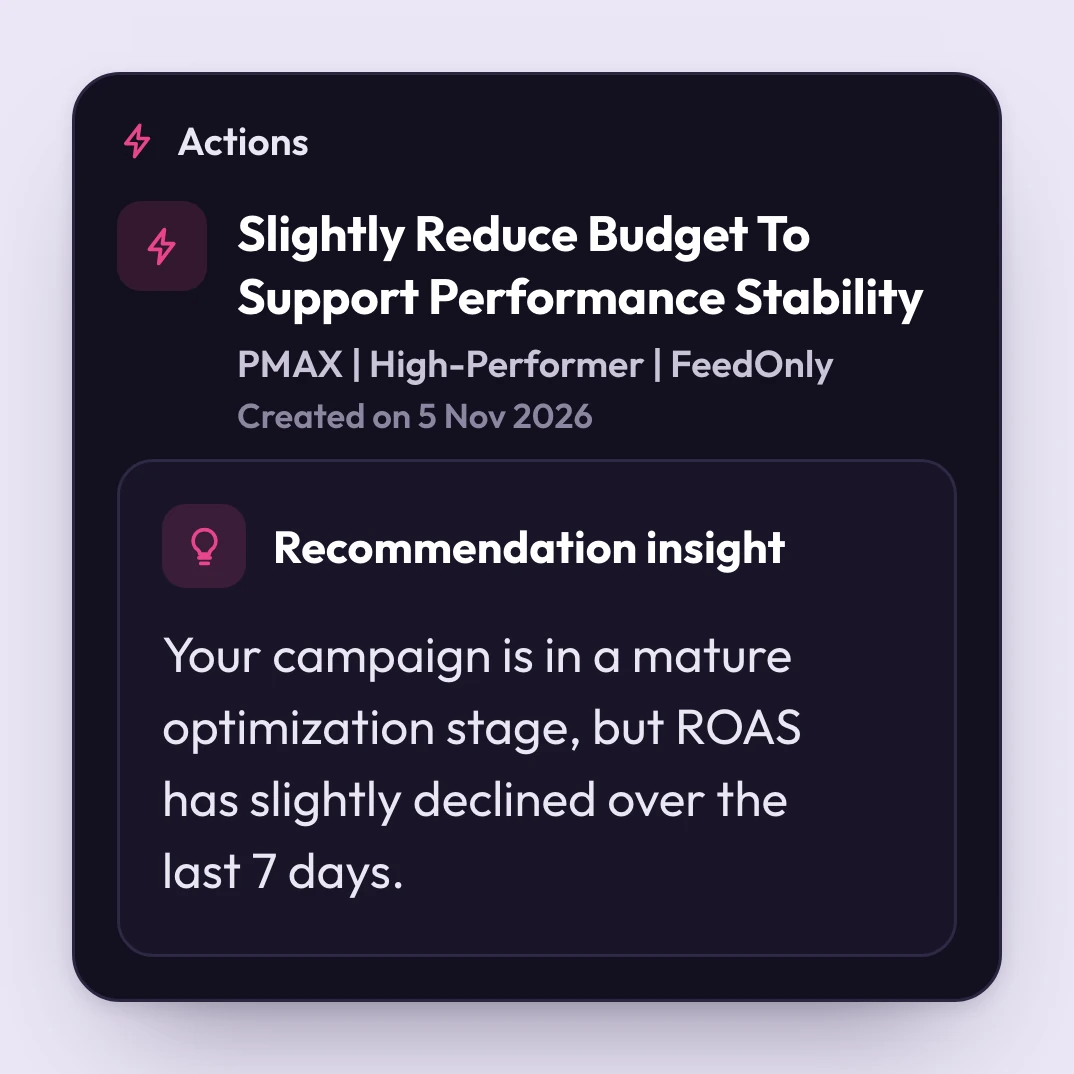
Scaley Suite does this part for you. It reads your live numbers and writes each budget move down with its reason. Sometimes the move is to pull back, like this one: ROAS slipped a little over the last 7 days, so it says ease the budget back. Check 8 shows the exact size: a 20% cut, waiting for your yes.
4. Make Sure Google Counts the Sales Your Store Really Got

Google can count sales your store never got. Then every number above is wrong, and a raise looks safe when it isn't. Open your store's orders for last week. Open Google Ads for the same days. Do they roughly match? If not, fix the tracking first. Raise later.
This one comes up a lot. 77 ZenoX Media clients asked us this 221 times in all: "Is conversion tracking working correctly?" Scaley Suite puts Google's ROAS next to your shop's real ROAS, so a gap shows fast.
5. Add Up the Spend That Already Earns Too Little Back
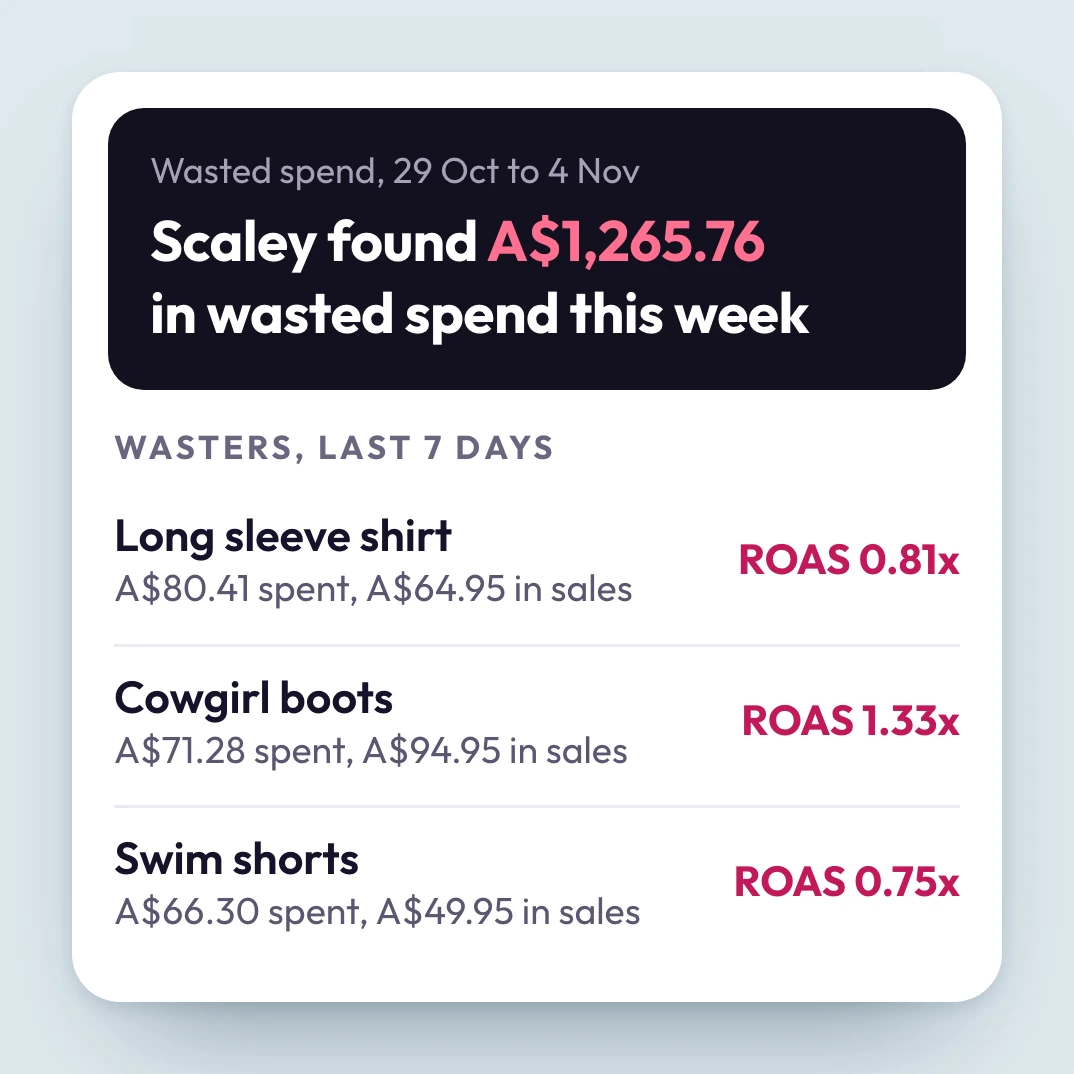
Before you add money, count what's already leaking. In one week, this demo store's dashboard found A$1,265.76 of wasted spend. Most of it sits on products that sell a little, so they look fine. Each one looks too small to bother with. Added up, it's real money. And a raise pours more into every one.
At $5K a month in total ad spend, Scaley Suite costs $399 a month. That's about $13 a day, for help worth $831 a month. Leak Guarantee: any month we show you less waste than your bill, we refund it. More on that in check 9.
6. Look at the Last Few Days, Not Just the Month

A monthly average can hide a bad week. Put last week next to last month. If sales drop while spend holds, wait. Find out why first.
Scaley Suite checks every day for dead search terms and products, and lines them up to cut. Ask any hour. It answers from the live account. So you catch a bad week while it's still this week, not in a report at month end.
7. Write Your Stop Line Before You Raise

The scary part of a raise is losing control. Money goes out faster, and fixes come too late. So write your stop line first. Fill in this one: if ROAS falls under my goal three days in a row, I go back to the old budget.
Then raise in small steps. You know the number that pulls you back, so you don't stare at the account all day. Scaley Suite writes each budget move with its reason, and nothing changes in your Google Ads until you say yes.
8. Keep the Final Say on Every Budget Move
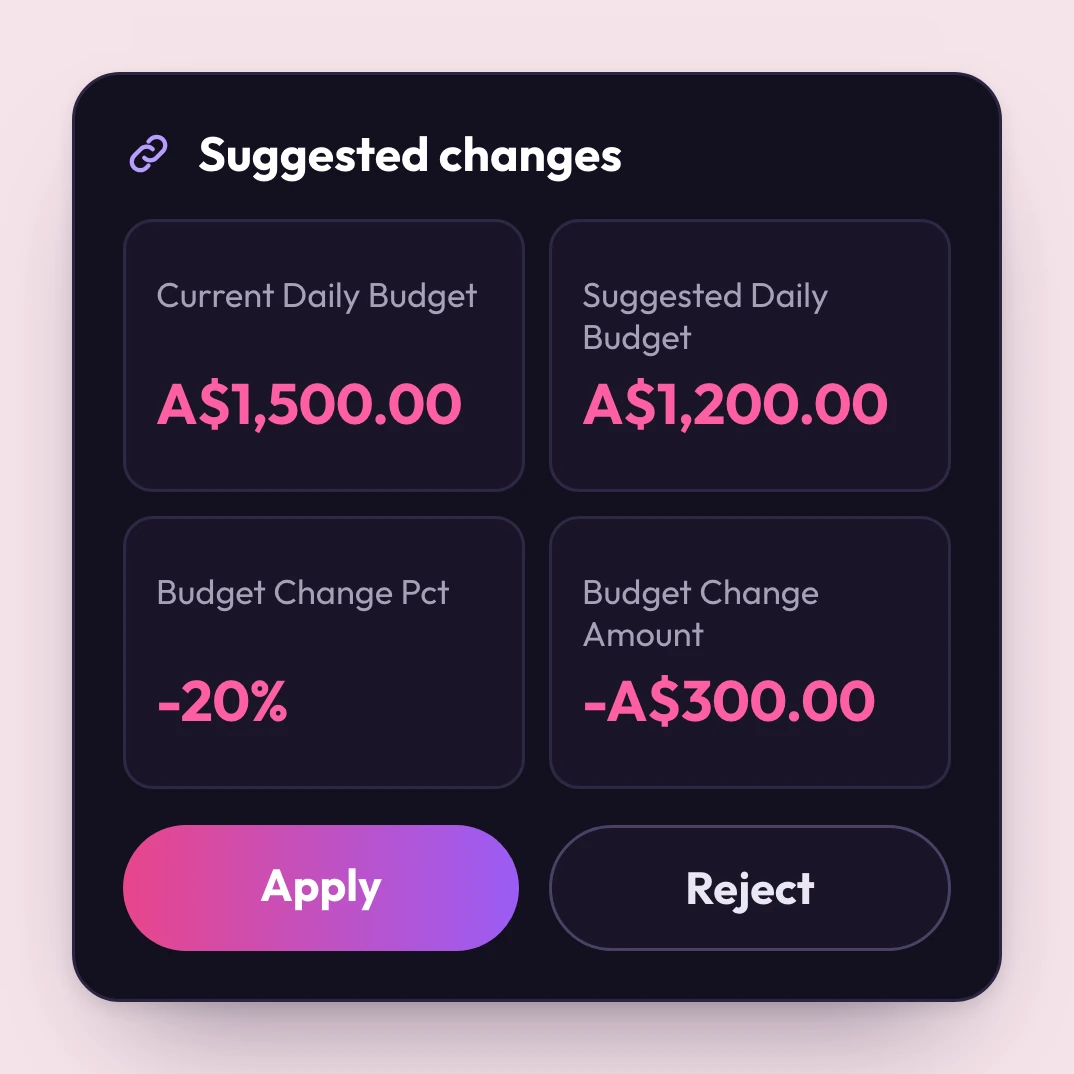
Worried a tool will move your budget behind your back? Scaley Suite can't. It writes the move, here a 20% cut from A$1,500 a day to A$1,200, with the reason. Then it waits.
Agree? Hit Apply. Don't agree? Hit Reject, and your budget stays where it is. Nothing changes in your Google Ads until you approve that line.
9. Check Who Pays If the Tool Finds Less Waste Than It Costs
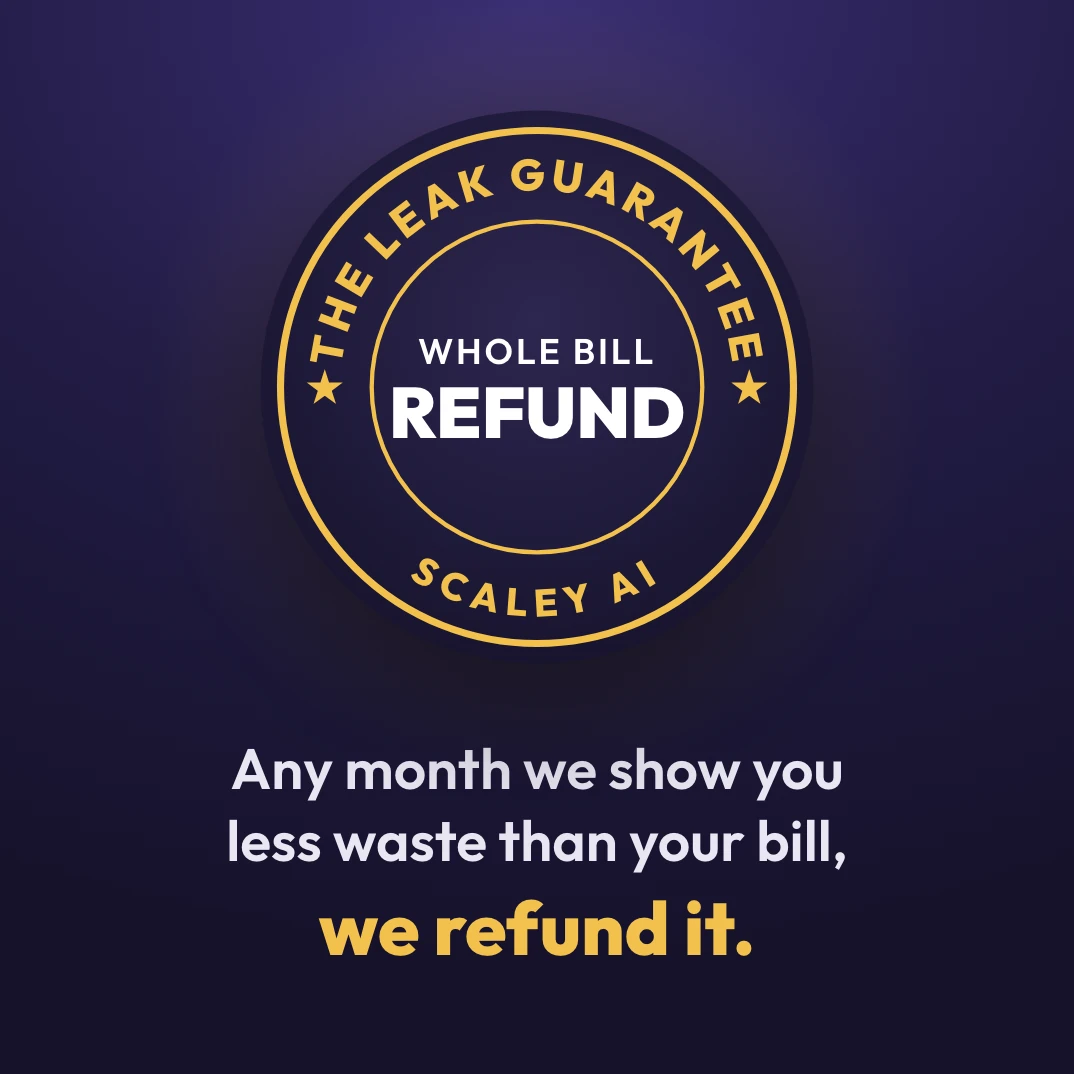
Most paid help costs the same every month, good calls or bad. We put our own bill on the line instead.
Every month, if the wasted ad spend Scaley shows you is smaller than that month's bill, we refund the whole bill (read the conditions). And you start on a 3-day free trial, card required.
10. Check Where Your Budget Tool Learned the Job
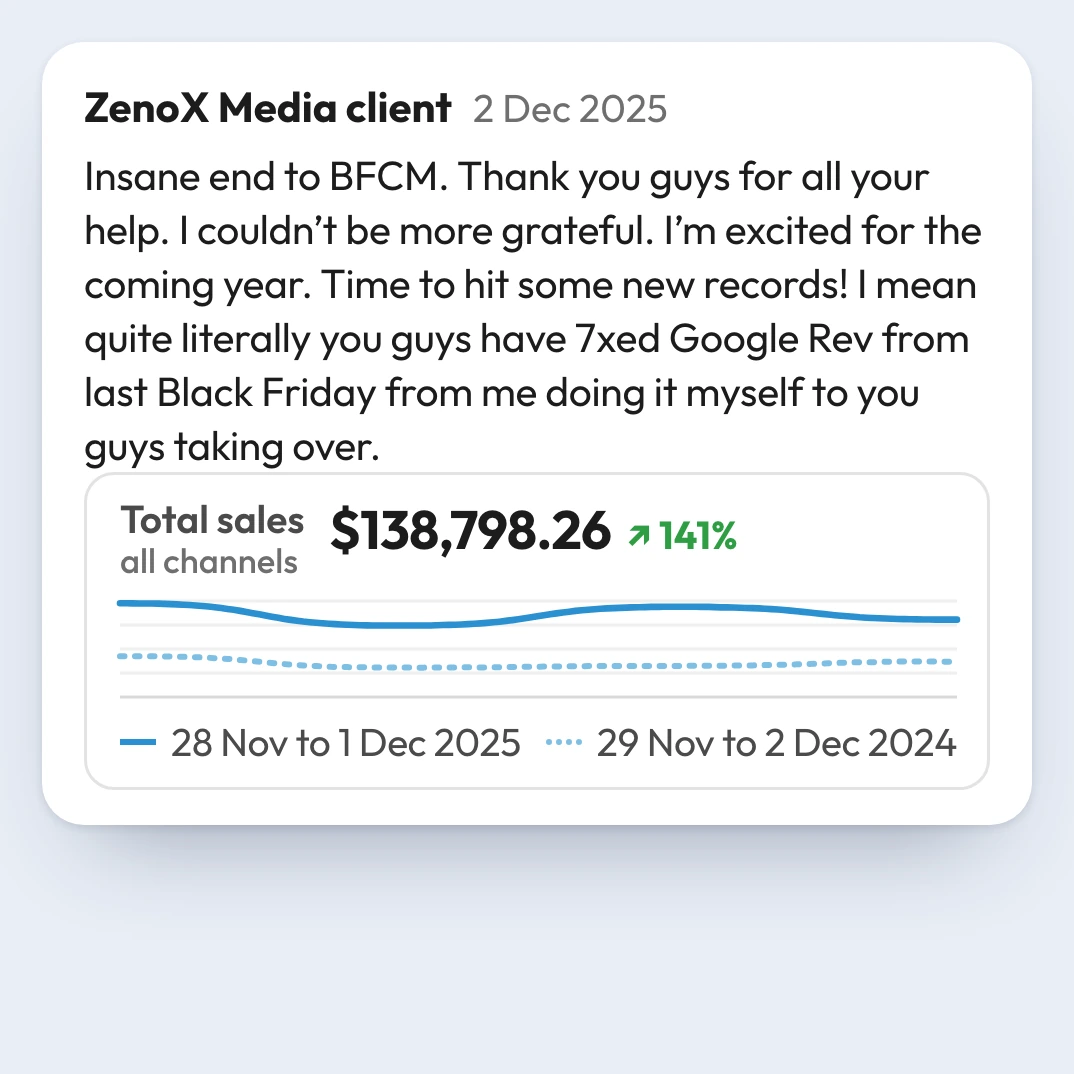
400+store accounts
Scaley Suite learned the job at ZenoX Media, my Google Ads agency, with $200M+ in client revenue tracked through our campaigns. The budget question came up all the time there. 95 clients asked us this 438 times in all: "Should we increase our ad budget right now?"
We trained it on 262,792 Slack messages from the team that ran those 400+ accounts. Now it reads your numbers with what that team learned.
✨ Leak Guarantee Included ✨

- Your yes first
- Any hour
- Plain words
🎁 Included with your trial
- Scaley Suite writes each change with its reason, then waits for your yesIncluded
- Scaley Suite reads your live account$433/mo
- Scaley Consultant: answers on any screenshot$99/mo
- VIP seat in the Google Ads Ecom Lab$299/mo
- Weekly live call with Christopher KrassnigIn VIP
- ZenoX Scaling SOP VaultIn VIP
- The Leak GuaranteeIncluded
3-Day Free Trial to See Each Move and Its Reason
Total value: $831/mo
At $5K a month in total ad spend, you pay$399/mo
Your yes on each changeCancel anytime
Leak Guarantee: any month we show you less waste than your bill, we refund it.
ZenoX Media is a Google Premier Partner, Meta Business Partner and Shopify Partner